@Retrochallenge – Recovering The Past

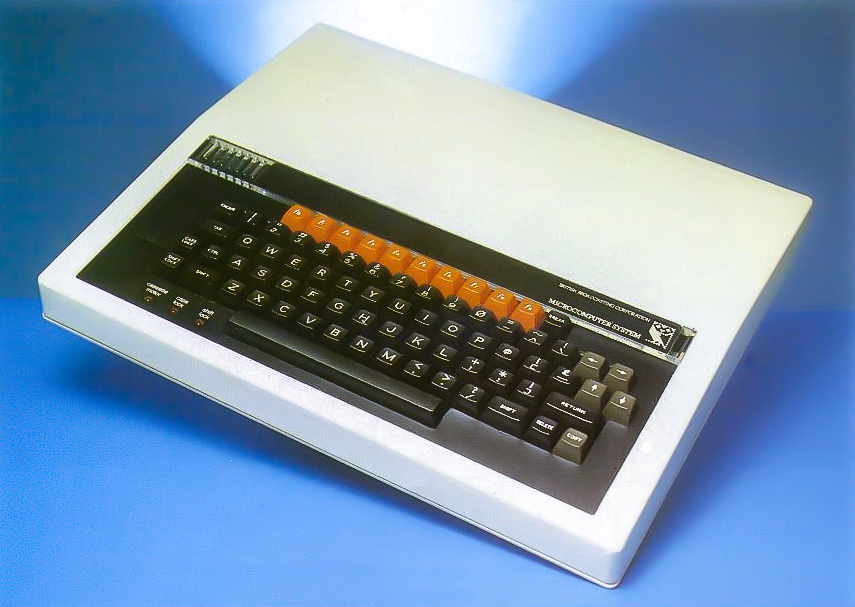
BBC Microcomputer

Some of you will no doubt be familiar with last year’s story surrounding Jordan Mechner’s discovery and recovery of the Prince of Persia source code, you can read about it on Mechner’s blog here.

I suspect many of us have on occasion stumbled upon old floppy disks stored away in the back of cupboards or in our lofts.  Over the years I have found several stashes of both the 3.5″ and 5.25″ variety.  It certainly seems to be pot luck as to whether they are still viable and whether any recoverable data remains, although I have noticed that certain brands seem more resilient, 3M, Dysan, Verbatim for example.

In the process of searching for components for my bridge machine I stumbled across another such stash in my loft.  I found my original Amiga game disks, titles such as Defender of the Crown, Monkey Island, Frontier and so on, some Amiga joysticks, a Philips CM 8833 monitor and most interestingly for me a box of 5.25″ disks.
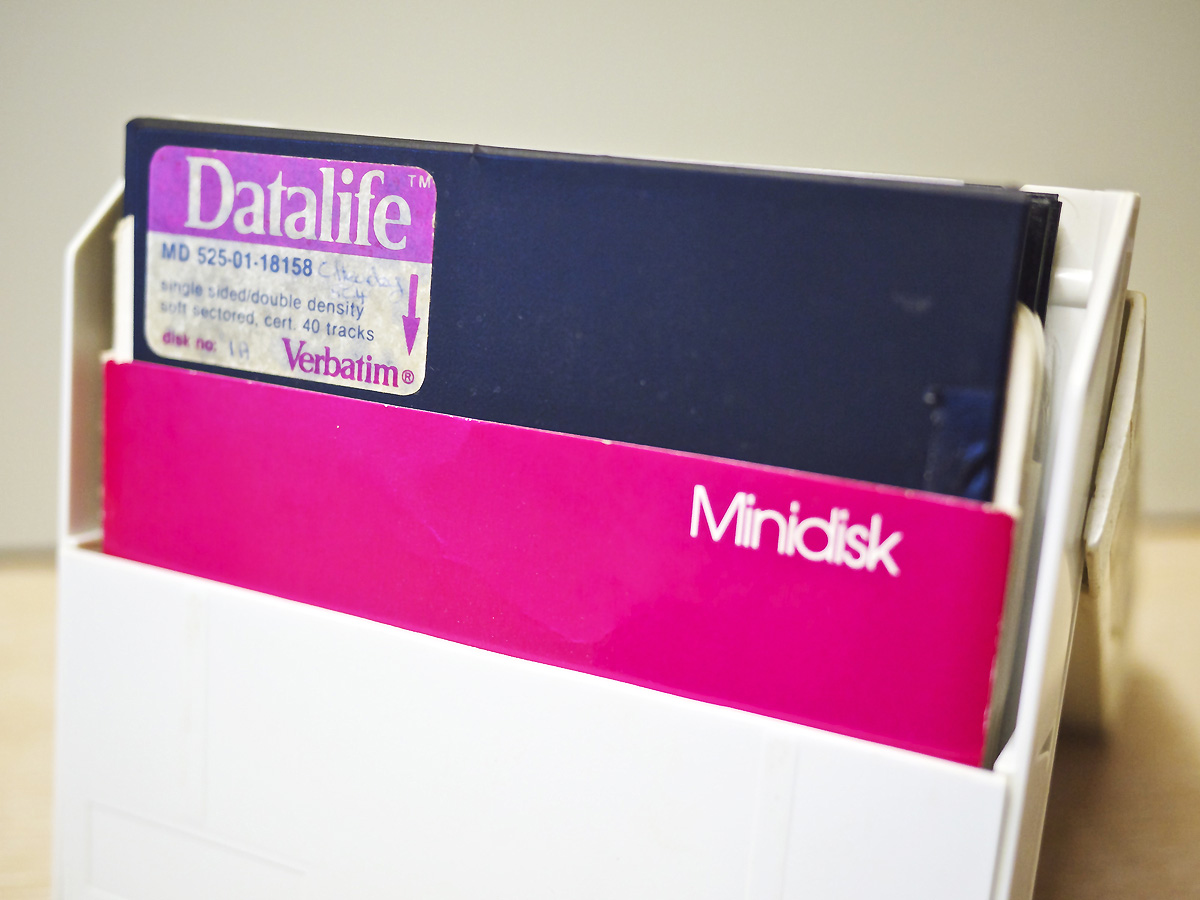
Verbatim Datalife Minidisk Pink

28 Year Old Floppy Disks

On closer inspection of the box I found two disks that I had used back in 1985 for my computer studies class at school.  What chance I wondered if any data could be recovered?

The computers that we used at school at the time were BBC Model B’s.  I don’t currently have any BBC machines in my collection although I now feel a strong urge to acquire one along with the Microvitec Cub monitors that were ubiquitous at the time.  I therefore had a look around to see if there was any software that might allow me to read the disks in a PC.

I quickly found the superb OmniDisk by Jason Watton and nervously inserted the first disk.  After working my way through all the options it became clear there was nothing to be found on the disk.  Of course there may not have been anything on the disk in the first place so undeterred I turned to the second disk, barely legible on the label, mine and Urbancamo’s form group – 5C4.
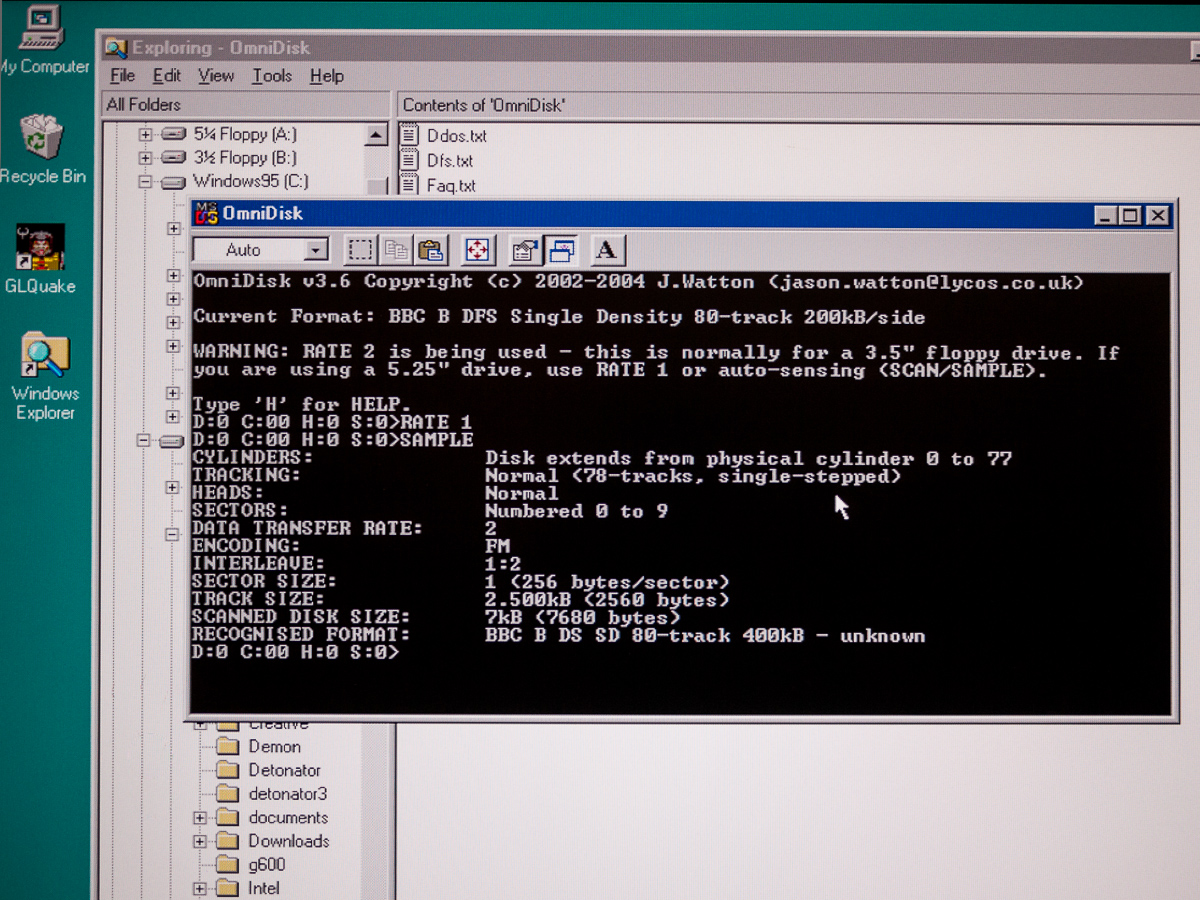
Recovering Files With OmniDisk

Recovering Files With OmniDisk

Immediately it became obvious there was some data there.  I ran through the various options in OmniDisk (did I mention how superb it is) and eventually managed to extract an image from the disk and from this I was able to pull out the individual files.

Loading these into a text editor revealed that they were BBC BASIC programs, namely my game ‘Yahtzee!’ and Urbancamo’s ‘Airman’.  Not exactly Prince of Persia but nevertheless pretty exciting on a personal level to recover such data from a disk that is the best part of 30 years old and has spent most of its life suffering the extreme temperatures of life in the loft.

The files are stored in tokenised binary format which results in a lot of garbage when viewing them in a standard text editor.  I had a hunt around and found the BAS2TXT DOS program here which converts the files into readable text.
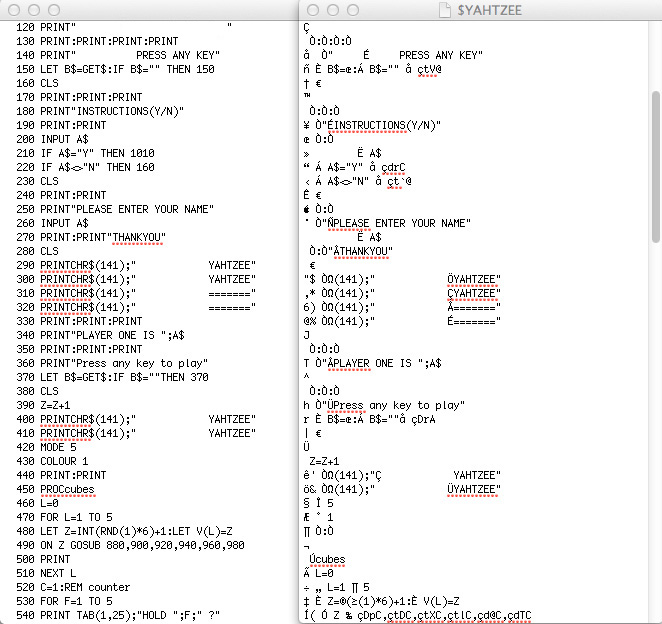
BAS2TXT Conversion

BAS2TXT Conversion

It worked very well although I still had to jump in and make a few manual corrections, but then that was ever the case when it came to my laughable attempts at coding. That’s why Urbancamo did the coding and I did the pretty things.

I’ve also recovered Urbancamo’s ‘Airman’ program and sent it to him, I think he may be incorporating it into his Retrochallenge which would be cool.  Perhaps if he can finally finish that, he could move on to his PhD, snork.

Anyway, the next challenge was to see if I could run the code.  Nostromo BBS user Stuart Johns pointed me in the direction of BeebEm, and I found a Mac version courtesy of Jon Welch.

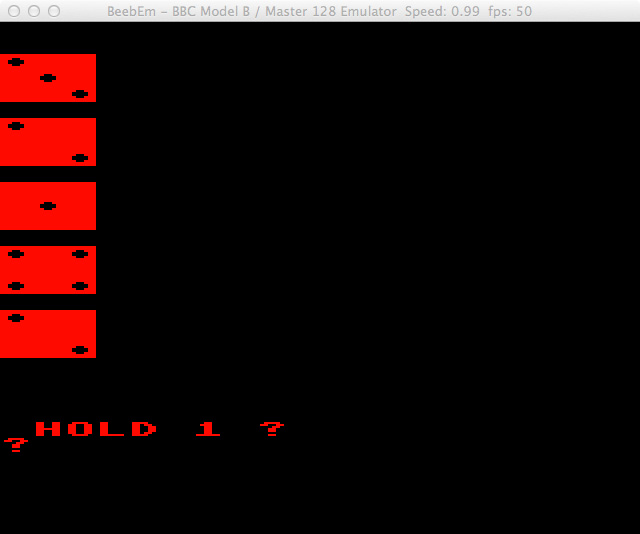
I fired it up on my Mac Mini, copied my newly cleaned up code and pasted it straight into the emulator window, typed RUN and slap my thighs it worked!

Yahztee Running On BeebEm

Yahztee Running On BeebEm

There on the screen my hopelessly inept attempts at coding in full view for the first time in 28 years.  Yahtzee!

There was even sound.

Subsequent attempts to access the original floppy disk have failed, it seems this really was last chance saloon stuff.  Of course in the grand scheme of things it’s largely irrelevant, but on a personal level recovering those files has been a real ride and has brought back some fond memories.
Colour Graphics

Roll The Dice

If I can find a Beeb at a sensible price I think it may well be my next purchase.
Retrochallenge Winter Warmup 2013

retroc

Retrochallenge Winter Warmup 2012 Open For Entries

Good friend Urbancamo has contacted me to let me know that the 2013 Retrochallenge Winter Warmup is now accepting entries from those who wish to participate.  Running through January 2013 it’s a great excuse for dusting down your retro gear and finally completing that project you’ve been putting off.

Thinking cap on, time to decide what I shall do this time around…

@retrochallenge 2012 – Acoustic Coupling

Since contracting this retro computing bug, after prolonged exposure to Urbancamo, I’ve had a yearning to try to recreate one of my earliest and fondest computing memories.  That memory, when recalled, still has the ability to send a little shiver of excitement down my spine.  Picture the scene if you will, a musty old office in the maths block of my local upper school.  Two spotty teenage boys, myself and the aforementioned Urbancamo.  In one dingy corner of the room an ASR 33 Teletype, on the window sill an acoustic coupler and telephone and on a piece of paper, a phone number.

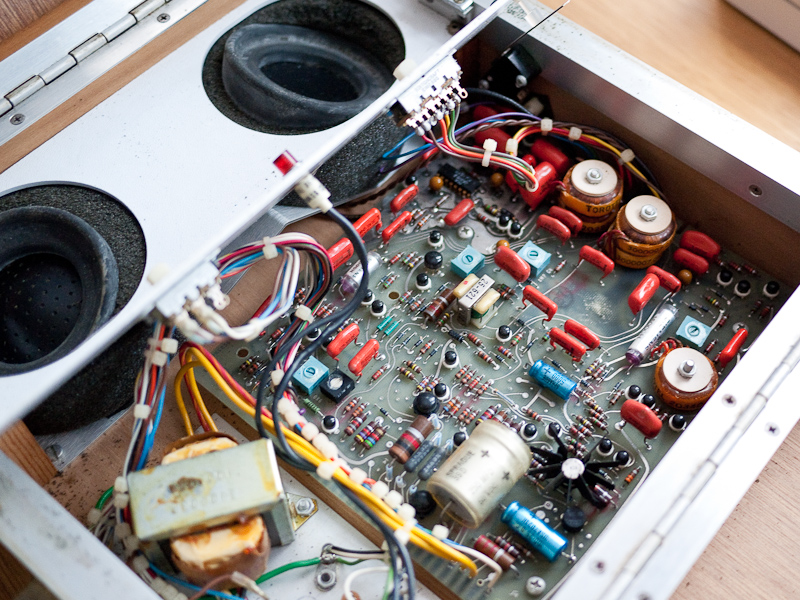
ADC 212 Internals

Thinking we were Matthew Broderick from WarGames we eagerly dialled the number inserted the handset into the coupler and waited excitedly for the Teletype to burst into life.  Sure enough the ASR 33 started clanking away and we were in!  Not NASA or anything like that you understand, but a nearby college upon which we were able to play a game called Shark Attack!  A momentous moment in my computing history and the first and last time that I ever used an acoustic coupler.

Epson CX-21

I have for some time therefore been on the lookout for a working acoustic coupler that I could use to try to recreate some of that experience.  After failing to bring back to life a very old Anderson Jacobson ADC 212 model, I was recently lucky enough to sport an Epson CX-21 on Ebay.

It’s in lovely condition, and the original NiCad battery even appears to hold a reasonable charge.  It came with an Epson HX-20 in a custom-made case which no doubt accounts for its excellent condition.  There was a little blooming on the rubber cups but I cleaned this off with a mild detergent solution and the whole unit looks almost new.

I will of course also need an old telephone with suitable handset and fortunately we still have a couple of 1970’s models at work that thankfully were never thrown out. These old BT models were built to last and the one I chose cleaned up really nicely, in fact it looks so cool I may use it in place of our current home set.

CX-21 Battery

The CX-21 only has two options to select, half or full-duplex and answer or originate mode.  It has a standard DB25 port and I have the appropriate cable to hook it up to my PX-8, an Epson 724 cable.  This is a modem cable with DB25 at one end and an 8 pin Mini DIN connector at the other.  I have two options for terminal software on the PX-8, both previously downloaded, Kermit and Mex.  The PX-8 does have a rudimentary terminal application on the built-in ROM but I’ve never had much success with it.

After charging the CX-21 and PX-8 I hooked up the TF-20 FDD and copied over all the software I’d need to the PX-8’s RAM disk so I had the minimal amount of stuff to take home from where I would be calling back to the box running my BBS.

Epson PX-8 With The CX-21

I then spent rather too long trying to get my head around whether I was originating or answering the call, clearly I was originating it and the BBS box was answering but for some unknown reason I’d convinced myself that the coupler would have to ‘answer’ the handshaking attempts of the remote modem.

Nevertheless once sanity had been restored I set the coupler to ‘originate’ mode at full-duplex and dialled the BBS with the telephone.  After several attempts the ready light finally illuminated on the coupler and it seemed a connection had been established. However once I’d connected via the terminal software all I received was a screen full of garbage.

I checked all my settings, made sure background noise was minimal and continued to make many more attempts to create a good connection.  Eventually I discovered that contrary to my instinct to push the handset more deeply and securely into the coupler, lifting the mouthpiece end slightly out of the cup resulted in a much better connection!  Whether the proximity of the transducers was causing some sort of distortion I don’t know but whatever the reason I now had a working connection and was reliably able to re-create it.  There are still a few erroneous characters coming through but I can live with that.

I shot a quick video showing the process below, all I need now are a couple of ASR 33’s.