@retrochallenge 2012 – Recreating The Past

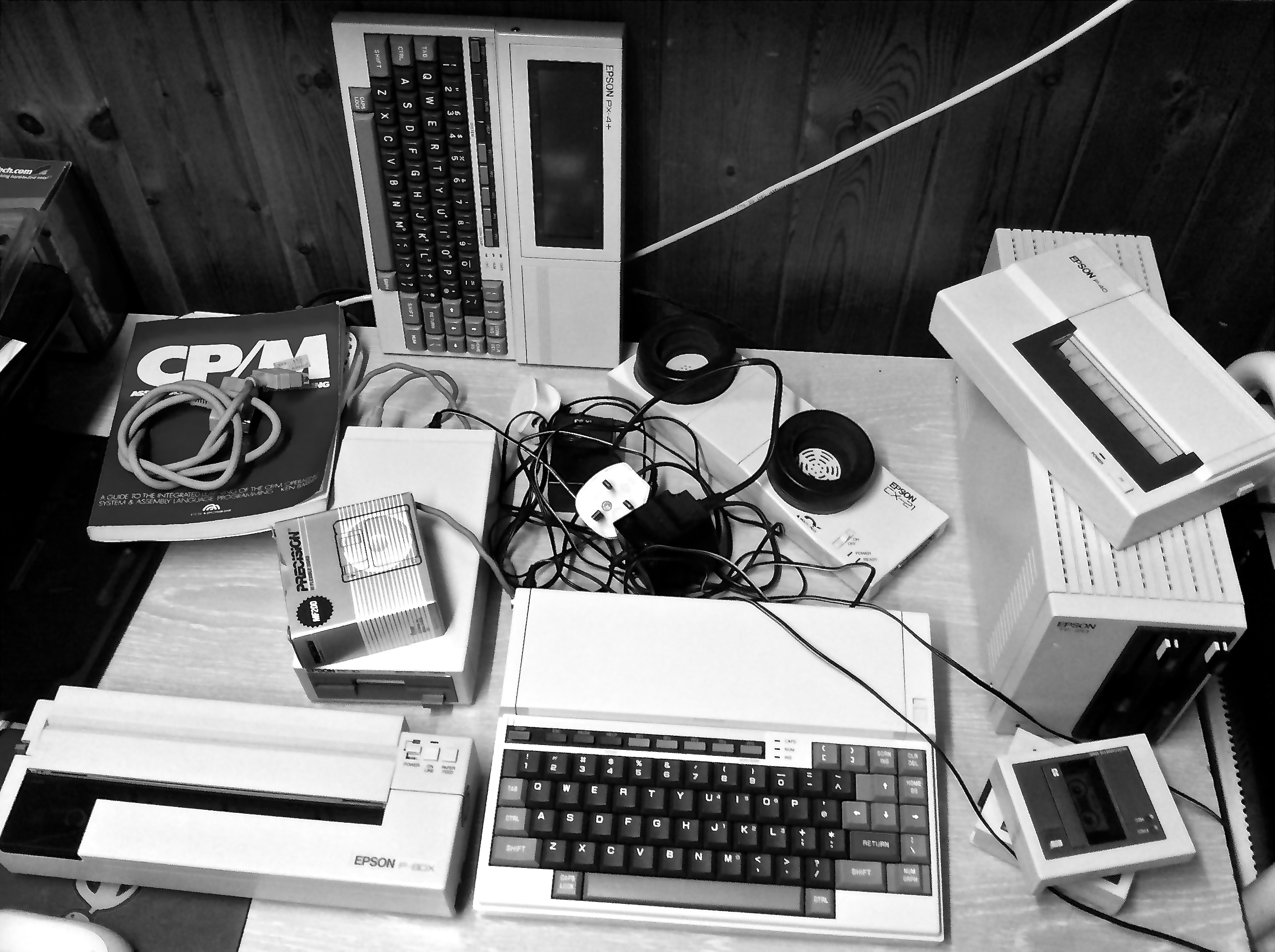
I recently discovered an original brochure for the Epson PX-8 system and accessories.  In it is an image of the PX-8, along with the CX-21 acoustic coupler, the PF-10 FDD, and two printers, the P-80 and P-40.  I was pretty sure I had at least one of all these items kicking around in my collection of retro gear.  It occurred to me it would be fun to try to recreate the aforementioned shot given that almost 30 years had elapsed since it was originally taken.

Epson Printer Advertisement

I delved into my many boxes of gear and pulled out everything I needed.  It was then I realised there was one item that didn’t match, what I’d thought was a P-80 is in actual fact a P-80X which varies slightly in appearance.  Its plastic has also yellowed much more than the other peripherals and looks particularly bad when seen alongside what was my ‘new in the box’ PX-8.  I’m now wondering whether I should perhaps consider a session of Retr0brighting, one of those things I’ve always wanted to do but have never taken the dip.

I’ve always had a thing for portable printers and I’m particularly fond of the P-40 and P-80X. Mine are both in fine working order although I’m unable to hook up the P-40 to my Epson gear as it has a parallel interface as opposed to the P-80X which is serial/RS232.

First Test Shot

The P-40 requires thermal paper rolls, the P-80X can apparently print on either thermal or plain paper, I can vouch for the latter.  I’m now wondering whether it would be fun to hook it up to the PX-8 and use it as a kind of Teletype with all output going to the printer.  Anyway I digress.  I arranged all the peripherals as laid out in the original picture and took a quick test shot with which I’m reasonably pleased.

Original Shot

Thus far then not a great deal of challenge on the actual retro front.  Time to think of something fiendishly difficult to fail at.  That beginner’s guide to CP/M assembly in the above shot has caught my eye, I believe it came with my C128D and I’ve never properly looked at it.

@retrochallenge 2012 – Acoustic Coupling

Since contracting this retro computing bug, after prolonged exposure to Urbancamo, I’ve had a yearning to try to recreate one of my earliest and fondest computing memories.  That memory, when recalled, still has the ability to send a little shiver of excitement down my spine.  Picture the scene if you will, a musty old office in the maths block of my local upper school.  Two spotty teenage boys, myself and the aforementioned Urbancamo.  In one dingy corner of the room an ASR 33 Teletype, on the window sill an acoustic coupler and telephone and on a piece of paper, a phone number.

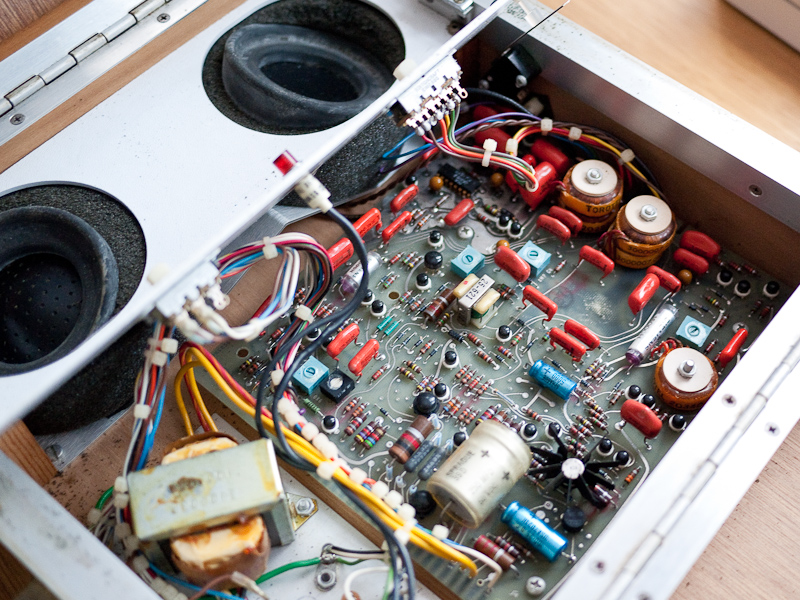
ADC 212 Internals

Thinking we were Matthew Broderick from WarGames we eagerly dialled the number inserted the handset into the coupler and waited excitedly for the Teletype to burst into life.  Sure enough the ASR 33 started clanking away and we were in!  Not NASA or anything like that you understand, but a nearby college upon which we were able to play a game called Shark Attack!  A momentous moment in my computing history and the first and last time that I ever used an acoustic coupler.

Epson CX-21

I have for some time therefore been on the lookout for a working acoustic coupler that I could use to try to recreate some of that experience.  After failing to bring back to life a very old Anderson Jacobson ADC 212 model, I was recently lucky enough to sport an Epson CX-21 on Ebay.

It’s in lovely condition, and the original NiCad battery even appears to hold a reasonable charge.  It came with an Epson HX-20 in a custom-made case which no doubt accounts for its excellent condition.  There was a little blooming on the rubber cups but I cleaned this off with a mild detergent solution and the whole unit looks almost new.

I will of course also need an old telephone with suitable handset and fortunately we still have a couple of 1970’s models at work that thankfully were never thrown out. These old BT models were built to last and the one I chose cleaned up really nicely, in fact it looks so cool I may use it in place of our current home set.

CX-21 Battery

The CX-21 only has two options to select, half or full-duplex and answer or originate mode.  It has a standard DB25 port and I have the appropriate cable to hook it up to my PX-8, an Epson 724 cable.  This is a modem cable with DB25 at one end and an 8 pin Mini DIN connector at the other.  I have two options for terminal software on the PX-8, both previously downloaded, Kermit and Mex.  The PX-8 does have a rudimentary terminal application on the built-in ROM but I’ve never had much success with it.

After charging the CX-21 and PX-8 I hooked up the TF-20 FDD and copied over all the software I’d need to the PX-8’s RAM disk so I had the minimal amount of stuff to take home from where I would be calling back to the box running my BBS.

Epson PX-8 With The CX-21

I then spent rather too long trying to get my head around whether I was originating or answering the call, clearly I was originating it and the BBS box was answering but for some unknown reason I’d convinced myself that the coupler would have to ‘answer’ the handshaking attempts of the remote modem.

Nevertheless once sanity had been restored I set the coupler to ‘originate’ mode at full-duplex and dialled the BBS with the telephone.  After several attempts the ready light finally illuminated on the coupler and it seemed a connection had been established. However once I’d connected via the terminal software all I received was a screen full of garbage.

I checked all my settings, made sure background noise was minimal and continued to make many more attempts to create a good connection.  Eventually I discovered that contrary to my instinct to push the handset more deeply and securely into the coupler, lifting the mouthpiece end slightly out of the cup resulted in a much better connection!  Whether the proximity of the transducers was causing some sort of distortion I don’t know but whatever the reason I now had a working connection and was reliably able to re-create it.  There are still a few erroneous characters coming through but I can live with that.

I shot a quick video showing the process below, all I need now are a couple of ASR 33’s.

A Week With The Retina MacBook Pro

I had for some time been eagerly awaiting Apple’s update to its MacBook line of computers having managed to resist the allure of a new machine for quite a few years.  My 2.4 Ghz Core 2 Duo MacBook is still working well but it’s a looking a little sad what with the broken plastic at the edge of the right hand wrist rest (apparently quite a common failure), the self inflicted white spots on the LCD and the general misalignment of the lid following a couple of drops.

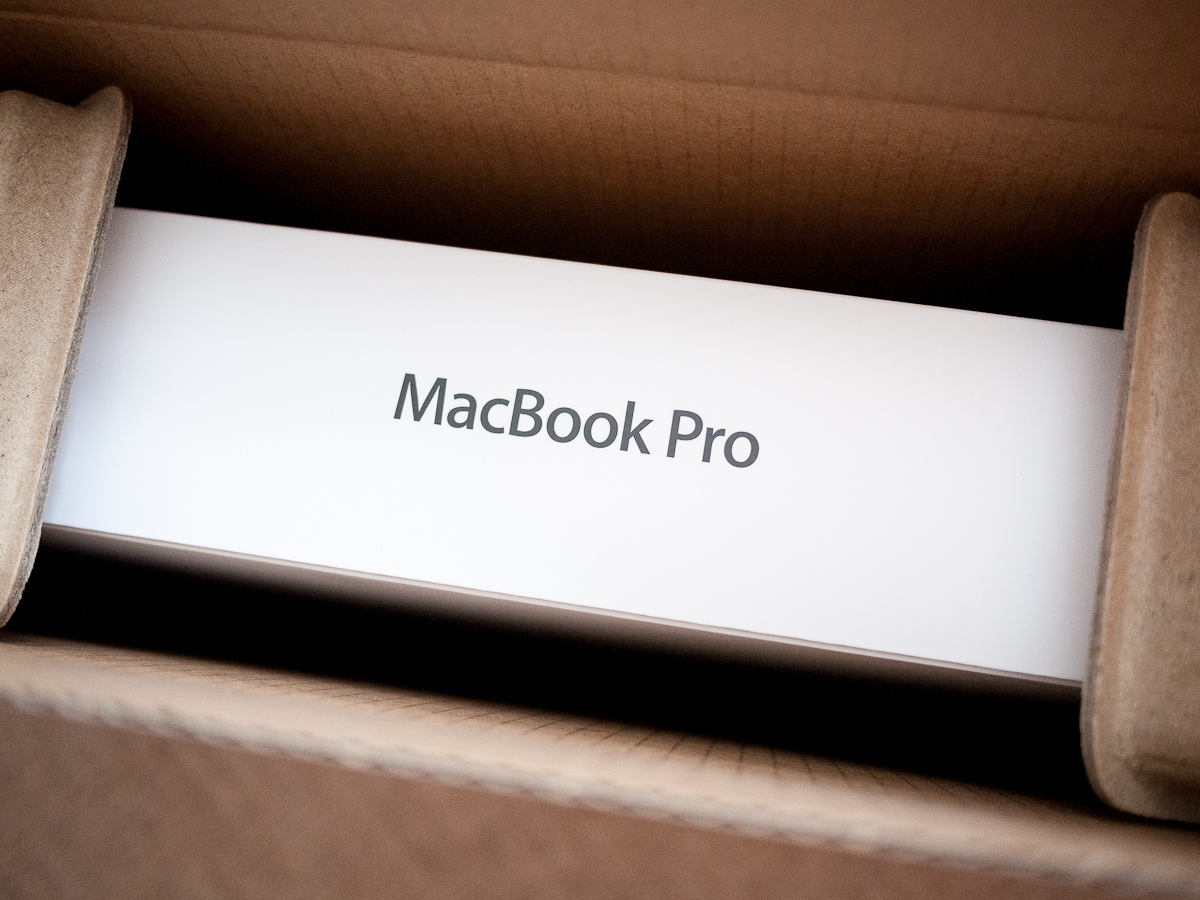
Unboxing the Retina MBP

If these issues weren’t reason enough my wife has been using the MacBook for a while (invariably forgetting to charge it) and for her requirements, mainly web browsing and mail it’s still perfectly adequate.  Quite frankly that’s the only green light I needed, so having attempted to justify my extravagance let’s talk about the Retina MacBook Pro.

Not cheap is it, especially here in the UK where the base model comes in at £1799 or roughly $2795 at today’s exchange rate.  Still I suppose that’s what you get when you are, as Stephen Fry put it, ‘an early adopting sillyhead‘.  I ordered my 2.3 GHz model with 8 GBs of RAM as soon as the UK Apple Store came back online following the WWDC Keynote.  Months of pent-up desire for a new machine meant there was no hovering over the confirmation button as with previous purchases, my blood was up, resistance would have been futile.

Apple Packaging

My shipping notification duly arrived on the 13th of June and I watched with some bemusement over the following days as my MacBook winged its way to old Blighty via China, Korea, Kazakhstan, Poland, Germany and… Castle Donnington.  The packaged arrived, earlier than estimated, on the 18th June.  Having seen the subsequent shortage in supply it seems I was very lucky to receive it so quickly with some who ordered at similar times to myself still waiting.

Retina MacBook Pro

Coming as I was from the aforementioned MacBook the first thing that struck me was just how thin and relatively light this new model is and yet it manages to avoid feeling flimsy or insubstantial, quite a trick to pull off.  Of course the thing that demands your attention next is the screen, impossibly thin and extraordinarily clear, bright and sharp.  Gorgeous blacks on pristine whites and vivid colours all rendered with superb accuracy.

In terms of performance, I’ve had experience of SSDs having upgraded my Mac Pro but there they are restricted by the ageing SATA II interface so it was pleasing to see them operating nearer their full potential in the MacBook.  Blackmagic Disk Speed Test showed write speeds averaging around 390 MB/s with Read speeds at 435 MB/s.  Both results based on 1 GB file sizes.

Geekbench

Geekbench returned a score of 11065, pretty impressive for such a light and compact machine.  I decided to try a game which I had previously downloaded for the Mac Pro via the App Store, namely Dirt 2.  It’s not the most up to date game but I have no desire to install Windows on the MacBook as I will not be doing a great deal of gaming on it.  The game ran at 2880 x 1800, the native Retina resolution, although it was stuttering slightly.  The fans did get noticeably louder as the unit heated up and the battery charge took a severe hit.  All I suppose to be expected, dropping the resolution to 1440 x 900 resulted in silky smooth gameplay, video here.

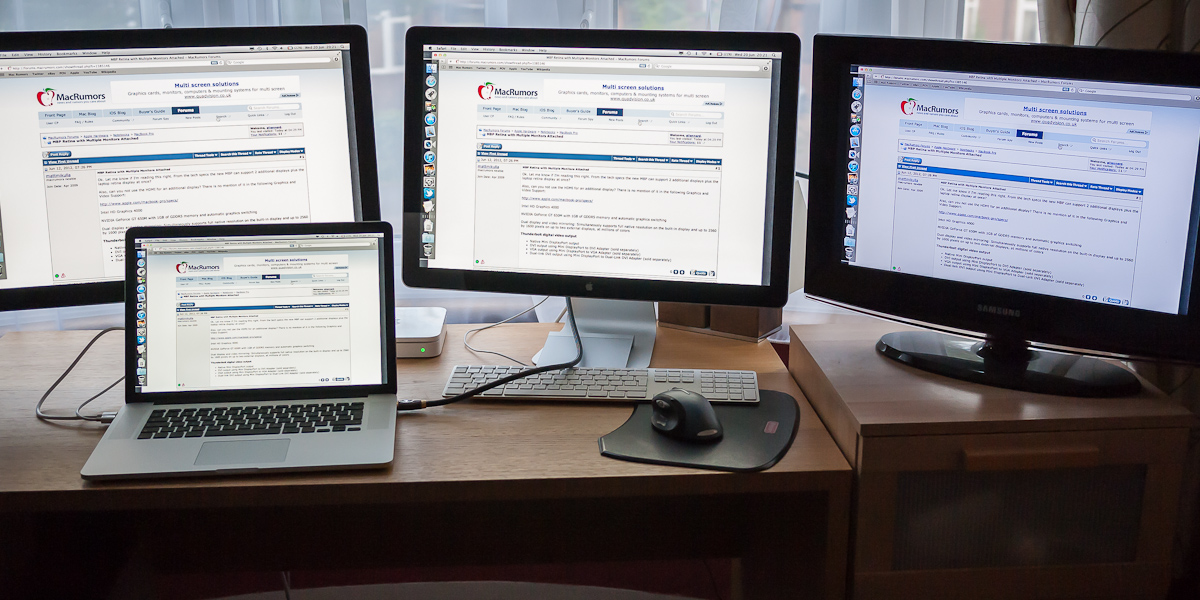
With two Thunderbolt ports and an HDMI port it occurred to me I could try to hook up three external displays.  I plugged my two 24″ Apple Cinema Displays into the Thunderbolt ports and a Samsung TV into the HDMI and everything worked without a hitch.  Initially I only mirrored the displays although I will also create a single desktop across them and test performance, it would be interested to know what ATI’s Eyefinity under Windows would make of such a set up.

Powering Three Displays

Returning to the Retina display, I have mostly run it at its native resolution where it performs best, although non Retina enabled apps do look quite blurry, particularly when seen alongside those which are Retina compatible.  Clearly Apple is hoping to force the issue and rely on 3rd party developers to release compatible software ASAP, although to be fair even some Apple software is I believe still not Retina optimised.

I’ve also used the ‘1680 x 1050 mode’ which I quite like.  Retina enabled apps still look pin sharp plus you get a little more real estate which can be useful.  In the course of creating this blog entry I’ve used Grab on the MacBook to take some screenshots and when you open these captured images on a non Retina machine it really brings home to you the resolution of simple dialogue boxes.  Click on the image of the Display Properties Pane shown opposite to view it at full resolution.

Retina Display Properties

Choosing non standard resolutions does come with a performance hit as the screens are actually rendered at much higher resolutions and then scaled to fit. A couple of other negative points to consider, firstly battery life.  Apple claims typical life of around 7 hours with light use.  In my experience my machine is not achieving this, I would suggest it’s somewhere between 5 – 6 hours, although to be fair that is only an estimate.  Fortunately the battery seems to charge quite quickly.

The other major issue for me is the sharp edges to the palm rests which results in quite painful indentations in the sides of your hands after only 20 or so minutes use.  I really wish Apple would address this issue, yes the clean lines look lovely but surely it’s not beyond the wit of the designers to soften the edge and maintain the clean aesthetic.

Speaker and Keyboard Detail

So overall I’m very pleased with the new Retina MacBook Pro, it’s light, thin and gorgeous to look at with plenty of power and just a few minor niggles.  I’m fully expecting this thing to truly come alive with the release of Mountain Lion which I’m eagerly anticipating.