@Retrochallenge – Yahtzee!

yahtzee

Perhaps somewhat foolishly I’ve decided to follow in Urbancamo’s footsteps and use this year’s Winter Warmup as an opportunity to try to finish my 28 year old school project, specifically a version of the dice game Yahtzee written in BBC BASIC.

The recovery from disk of the original unfinished code has transported me directly back to 1985 and the fifth year computer studies class where a put upon Mr Rigby tried in vain to concentrate our minds on programming when we were more interested in throwing each other’s school bags out of the windows and bunking off for a fondle with the girls in the tennis courts.

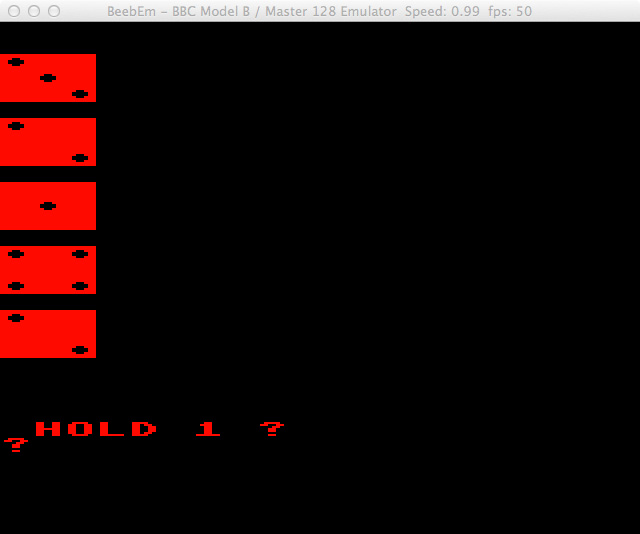
Yahztee Running On BeebEm

Yahztee Running On BeebEm

What little work was achieved was done using BBC Model B computers.  These machines remain very popular and still command a fair price at auction.  I’ve been intending to buy one for some time and this current trip down memory lane has jolted me in to action.

I’m therefore awaiting the arrival of a BBC Master, dual disk drives and Microvitec Cub monitor with which I intend to finish my Yahtzee program.  While looking for a Model B I chanced upon this listing instead which had a very reasonable ‘Buy it Now’ price.

Having looked through the code that I originally wrote I can remember quite vividly the reason the project remained unfinished.  I was unable, or more likely unwilling, to figure out the necessary code to keep score, instead relying on the player to enter it manually.

Clearly this was a cop-out that needs rectifying and I will therefore attempt the figure out the necessary code and finish the program.  Whether I can then get upgraded to a ‘B’ from the ‘C’ grade that I originally received remains to be seen.

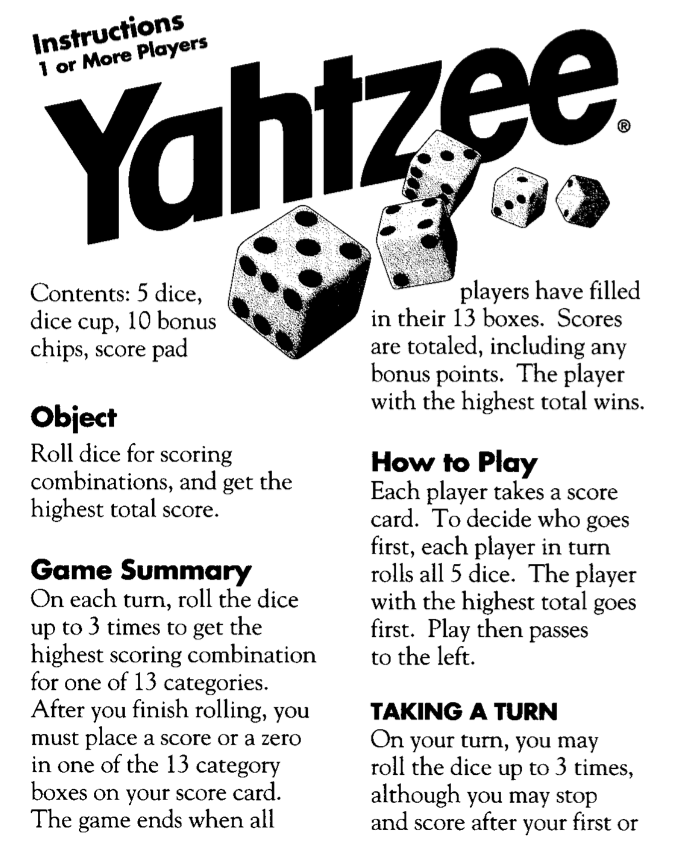
A quick search for ‘Yahtzee Instructions’ led me to a PDF helpfully provided on the Hasbro site.  I now need to figure out the most compact and elegant way of determining for scoring purposes which dice the player has rolled.  If I can achieve that, if, I may also look at jazzing the graphics up a bit.

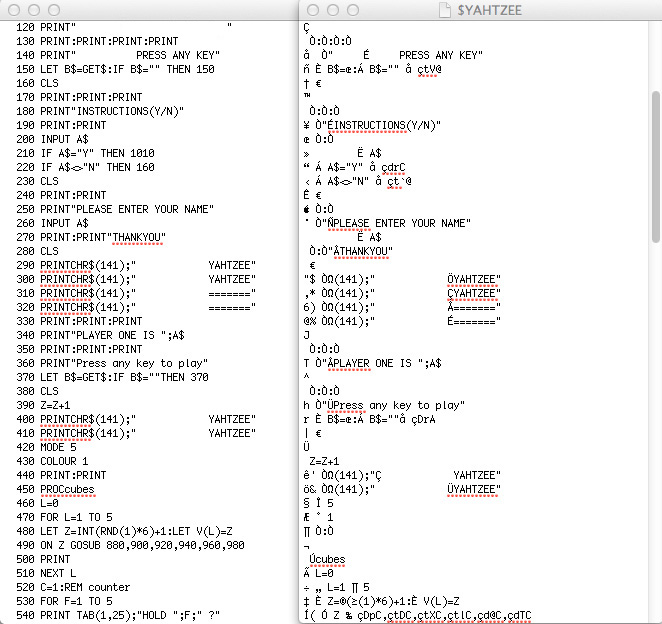
Here’s the original code, some of it which I now have no idea what it does:-

   10 Y=0:MODE 7
   20 P=1000
   30 SC=0:U=0:I=0:O=0:P=0
   40 DIM Q$(5):DIM A(5):DIM V(5)
   50 REM YAHTZEE
   60 P=0
   70 CLS:DIM D(5)
   80 PRINT:PRINT:PRINT
   90 PRINTCHR$(141)"            àÇYAHTZEE"
  100 PRINTCHR$(141)"            àÜYAHTZEE"
  110 PRINT:PRINT:PRINT
  120 PRINT"        ÅBy"
  130 PRINT:PRINT:PRINT:PRINT
  140 PRINT"     É     PRESS ANY KEY"
  150 LET B$=GET$:IF B$="" THEN 150
  160 CLS
  170 PRINT:PRINT:PRINT
  180 PRINT"ÉINSTRUCTIONS(Y/N)"
  190 PRINT:PRINT
  200 INPUT A$
  210 IF A$="Y" THEN 1010
  220 IF A$<>"N" THEN 160
  230 CLS
  240 PRINT:PRINT
  250 PRINT"ÑPLEASE ENTER YOUR NAME"
  260 INPUT A$
  270 PRINT:PRINT"ÅTHANKYOU"
  280 CLS
  290 PRINTCHR$(141);"            ÖYAHTZEE"
  300 PRINTCHR$(141);"            ÇYAHTZEE"
  310 PRINTCHR$(141);"            Å======="
  320 PRINTCHR$(141);"            É======="
  330 PRINT:PRINT:PRINT
  340 PRINT"ÅPLAYER ONE IS ";A$
  350 PRINT:PRINT:PRINT
  360 PRINT"ÜPress any key to play"
  370 LET B$=GET$:IF B$=""THEN 370
  380 CLS
  390 Z=Z+1
  400 PRINTCHR$(141);"Ç            YAHTZEE"
  410 PRINTCHR$(141);"            ÜYAHTZEE"
  420 MODE 5
  430 COLOUR 1
  440 PRINT:PRINT
  450 PROCcubes
  460 L=0
  470 FOR L=1 TO 5
  480 LET Z=INT(RND(1)*6)+1:LET V(L)=Z
  490 ON Z GOSUB 880,900,920,940,960,980
  500 PRINT
  510 NEXT L
  520 C=1:REM counter
  530 FOR F=1 TO 5
  540 PRINT TAB(1,25);"HOLD ";F;" ?"
  550 INPUT A$
  560 IF A$="Y" THEN LET A(F)=1
  570 IF A$<>"Y" THEN LET A(F)=0
  580 NEXT F
  590 FOR F=1 TO 5
  600 LET Z=INT(RND(1)*6)+1
  610 IF A(F)=0 THEN LET V(F)=Z
  620 NEXT F
  630 CLS
  640 FOR F=1 TO 5
  650 PRINT
  660 ON V(F) GOSUB 880,900,920,940,960,980
  670 NEXT F
  680 IF C=2 THEN GOTO 710
  690 LET C=C+1
  700 GOTO 530
  710 PRINT "GO ON?"
  720 INPUT X
  730 MODE 7
  740 PROCscores
  750 V=V+1
  760 IF V=6 THEN GOTO 1420
  770 GOTO 420
  780 PRINTTAB(0,0)
  790 RETURN
  800 PRINTTAB(0,20)
  810 RETURN
  820 PRINTTAB(0,40)
  830 RETURN
  840 PRINTTAB(0,60)
  850 RETURN
  860 PRINTTAB(0,80)
  870 RETURN
  880 PROCone
  890 RETURN
  900 PROCtwo
  910 RETURN
  920 PROCthree
  930 RETURN
  940 PROCfour
  950 RETURN
  960 PROCfive
  970 RETURN
  980 PROCsix
  990 RETURN
 1000 INPUT F
 1010 CLS
 1020 MODE 7
 1030 PRINT:PRINT:PRINT"ÅYAHTZEE INSTRUCTIONS"
 1040 PRINT:PRINT"É  Yahtzee is a simulated dice throwing"
 1050 PRINT"Égame for one player."
 1060 PRINT"ÉThe player shakes his dice."
 1070 PRINT"ÉAfter shaking you may pick up any"
 1080 PRINT"Éamount of the dice you wish and shake"
 1090 PRINT"Éagain until you are satisfied with"
 1100 PRINT"Éyour score.You may do this twice after"
 1110 PRINT"Éyour first shake."
 1120 PRINT:PRINT:PRINT"ÑPRESS ANY KEY"
 1130 LET B$=GET$:IF B$="" THEN 1130
 1140 CLS
 1150 PRINT:PRINT:PRINT"Ö YAHTZEE SCORING"
 1160 PRINT:PRINT"ÜPoints are obtained for geting certain"
 1170 PRINT"áÜamounts and patterns on the dice"
 1180 PRINT"Üeg Runs,Sets and Pairs"
 1190 PRINT:PRINT:PRINT"ÉPress any key to play"
 1200 LET B$=GET$:IF B$="" THEN 1200
 1210 GOTO 230
 1220 DEFPROCscores
 1230 CLS
 1240 PRINTCHR$(141);"            ÑSCORING"
 1250 PRINTCHR$(141);"            ÜSCORING"
 1260 PRINTCHR$(141);" Ü          Å======="
 1270 PRINTCHR$(141);"            Ö======="
 1280 PRINT:PRINT
 1290 PRINT"ÅAmounts on dice         Score"
 1300 PRINT:PRINT"ÑLOW RUN                  70"
 1310 PRINT"ÑHIGH RUN                 80"
 1320 PRINT"ÑFULL HOUSE               75"
 1330 PRINT"ÑFOUR OF A KIND           80"
 1340 PRINT"ÑTHREE OF A KIND          70"
 1350 PRINT"ÑTWO PAIRS                50"
 1360 PRINT"ÑONE PAIR                 30"
 1370 PRINT"ÑYAHTZEE                  100"
 1380 PRINT:PRINT" please enter your score "
 1390 INPUT SC
 1400 U=U+SC
 1410 ENDPROC
 1420 PRINT"SCORES"
 1430 PRINT"AFTER 5 GOES YOU HAVE A SCORE OF ";U
 1440 PROCsound
 1450 PRINT"PLAY AGAIN(Y/N)"
 1460 INPUT Y$
 1470 IF Y$="Y" THEN 1490
 1480 GOTO 1510
 1490 RESTORE
 1500 RUN
 1510  CLS
 1520 PRINT"GOODBYE"
 1530 END
 1540 DEFPROCsound
 1550 SOUND 1,-15,97,10
 1560 SOUND 1,-15,105,10
 1570 SOUND 1,-15,89,10
 1580 SOUND 1,-15,41,10
 1590 SOUND 1,-15,69,20
 1600 ENDPROC
 1610 DEFPROCcubes
 1620 VDU 23,224,255,255,255,255,255,255,255,255
 1630 VDU 23,225,255,255,231,195,195,231,255,255
 1640 ENDPROC
 1650 DEFPROCone
 1660 PRINTCHR$(224);CHR$(224);CHR$(224)
 1670 PRINTCHR$(224);CHR$(225);CHR$(224)
 1680 PRINTCHR$(224);CHR$(224);CHR$(224)
 1690 ENDPROC
 1700 DEFPROCtwo
 1710 PRINTCHR$(225);CHR$(224);CHR$(224)
 1720 PRINTCHR$(224);CHR$(224);CHR$(224)
 1730 PRINTCHR$(224);CHR$(224);CHR$(225)
 1740 ENDPROC
 1750 DEFPROCthree
 1760 PRINTCHR$(225);CHR$(224);CHR$(224)
 1770 PRINTCHR$(224);CHR$(225);CHR$(224)
 1780 PRINTCHR$(224);CHR$(224);CHR$(225)
 1790 ENDPROC
 1800 DEFPROCfour
 1810 PRINTCHR$(225);CHR$(224);CHR$(225)
 1820 PRINTCHR$(224);CHR$(224);CHR$(224)
 1830 PRINTCHR$(225);CHR$(224);CHR$(225)
 1840 ENDPROC
 1850 DEFPROCfive
 1860 PRINTCHR$(225);CHR$(224);CHR$(225)
 1870 PRINTCHR$(224);CHR$(225);CHR$(224)
 1880 PRINTCHR$(225);CHR$(224);CHR$(225)
 1890 ENDPROC
 1900 DEFPROCsix
 1910 PRINTCHR$(225);CHR$(224);CHR$(225)
 1920 PRINTCHR$(225);CHR$(224);CHR$(225)
 1930 PRINTCHR$(225);CHR$(224);CHR$(225)
 1940 ENDPROC

@Retrochallenge – Getting Started

Windows 95 98

I have one definite project that I want to complete this year, building a multi-boot bridge machine.  This is more of an enabler than a full on retro project and will likely prove far from taxing, hopefully taking only a few hours.

Once achieved however it will allow me to seriously de-clutter my workspace and this in turn will hopefully allow me to get on with some other retro goodness without the continual hindrance of being surrounded in junk.

Cases

Choice Of Cases

Due to the ubiquitous nature of MS-DOS and the various subsequent flavours of Windows most of the retro computers in my collection rely on connecting to Wintel machines to facilitate file transfers.  Some of the software provided is very specific about which version of DOS/Windows it will play ball with.  I therefore have a collection of machines running early versions of DOS through to Windows XP.  My aim is to narrow this down to one machine.

Helpfully Microsoft still provide minimum specifications for Windows For Workgroups and XP.

Windows For Workgroups:-

  • 80286 microprocessor or better for version 3.1
  • 80386sx microprocessor or better for version 3.11
  • 2048 kilobytes (K) total memory for version 3.1
  • 3 megabytes (MB) total memory for version 3.1 (2 MB with no network installed)
  • 3 megabytes (MB) total memory for version 3.11 (4 MB is recommended)
  • 6.2 MB of hard drive space (14.5 MB recommended)

Windows XP:-

  • Pentium 233-megahertz (MHz) processor or faster (300 MHz is recommended)
  • At least 64 megabytes (MB) of RAM (128 MB is recommended)
  • At least 1.5 gigabytes (GB) of available space on the hard disk
  • CD-ROM or DVD-ROM drive
  • Keyboard and a Microsoft Mouse or some other compatible pointing device
  • Video adapter and monitor with Super VGA (800 x 600)or higher resolution
Choosing A Motherboard

Choosing A Motherboard

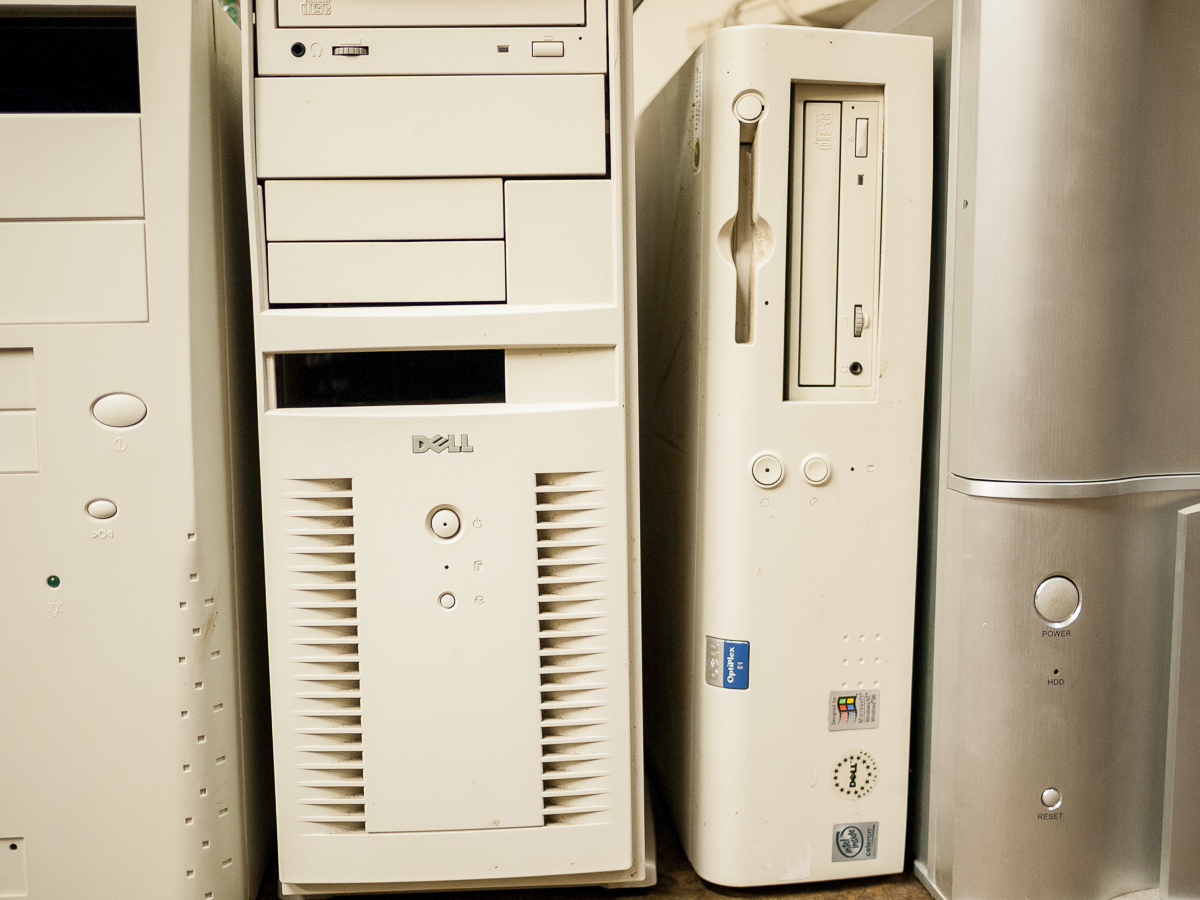
I delved in to my collection of motherboards and cases and decided to pair an Abit BH6 motherboard with a 300 MHz Pentium 2 ripped from a dead Dell Dimension.  The BH6 has a good combination of ISA and PCI slots, USB, standard serial and parallel ports.  It’s had an interesting few years, some of them spent hanging on the wall as decoration (regularly vacuumed in a non sympathetic manner) and the last 2 or 3 in a pile of other MBs in a damp, non heated shed.  I was therefore a little sceptical as to whether it would still work.

I also found an Nvidia TNT 2 graphics card, two 128MB sticks of PC100 RAM, a 3.5″ FDD and a CD-ROM drive.  I assembled all of the components into a suitable case and was somewhat surprised when greeted by a successful POST.

_1030936

Compact Flash Cards

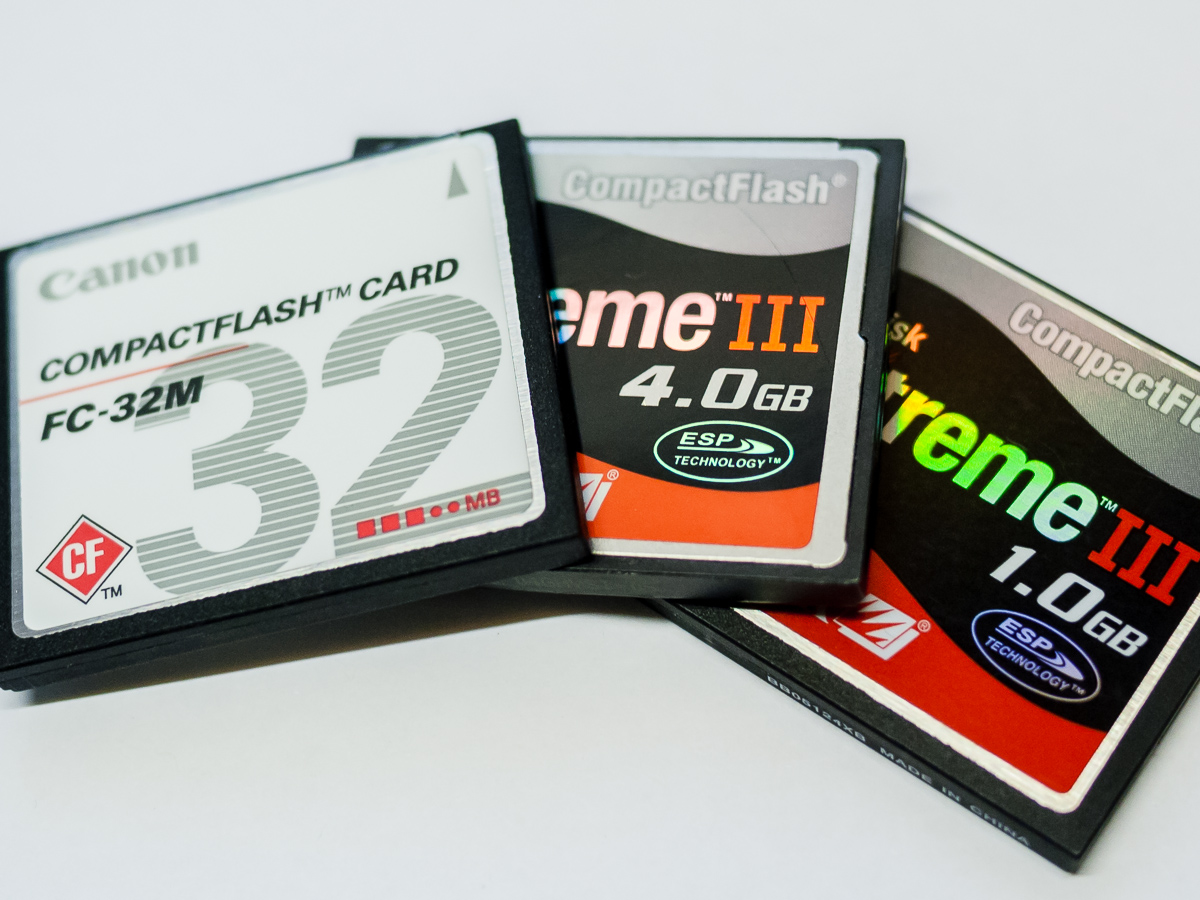
I decided in advance that the easiest way to boot into various OS’s would be to use Compact Flash cards.  I have a number of them lying around in various sizes from 32MB up to 16GB and have had great success with them in the past.

I had therefore ordered an IDE to CF adapter with a back plate fitting so that the card could be swapped out easily. In retrospect a 5.25 Bay model would have been even more convenient so I may yet get one of those.

CF Adapter

CF Adapter

Once fitted and hooked up with a suitable cable I set about installing Windows for Workgroups, Windows 95 and 98 onto separate cards.  The installations went pretty smoothly, I put DOS 6.22 and WFW on a 32 MB card, Windows 95 on a 1 GB card and 98SE on a 4 GB card.  One other useful aspect of this method is that the cards can be easily removed and inserted into a card reader on another machine allowing easy transfer of files.

_1030939

Installing Windows For Workgroups

Having discovered some old floppy disks whilst rooting around for components for this machine it wasn’t long before it was called in to action.  I installed a 5.25″ FDD into a spare bay and inserted the Windows 95 CF card.  Once booted into Windows 95 I set about attempting to recover some old files as detailed here.

The build has therefore been successful,  I’ll also do an XP installation and then I’ll be able to simply swap cards and boot into whichever OS I need.  I shall also add an internal CF adapter with a 4 GB CF card onto which I will install all of the retro software that I need so that it’s always available to each OS.

_1030934

Pentium II & Heatsink

The machine is reasonably quiet as the Pentium is passively cooled although the graphics card has a small fan, I may therefore root around for a fan-less model.

A sound card would be nice but not essential and I may see if I can hook up the two Voodoo 2 3D cards that I used to run in SLI mode.

@Retrochallenge – Recovering The Past

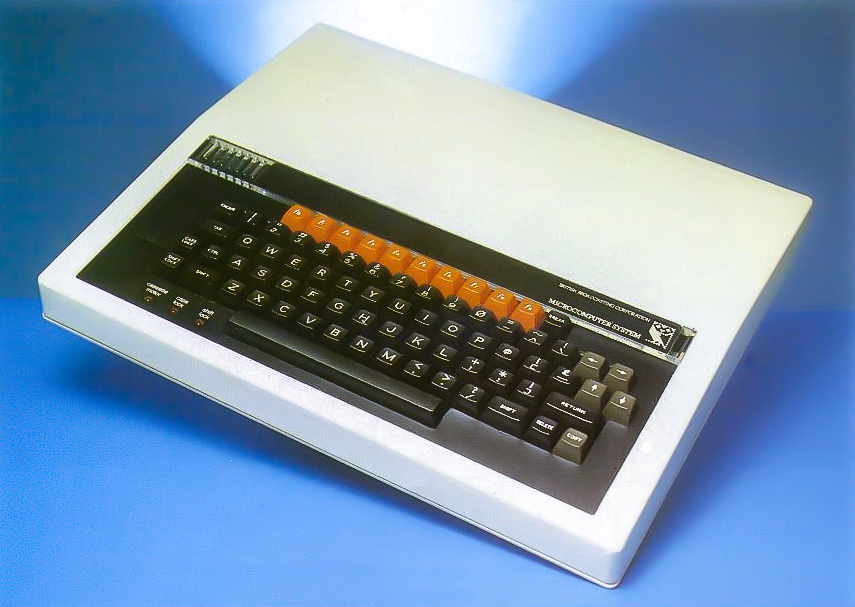
BBC Microcomputer

Some of you will no doubt be familiar with last year’s story surrounding Jordan Mechner’s discovery and recovery of the Prince of Persia source code, you can read about it on Mechner’s blog here.

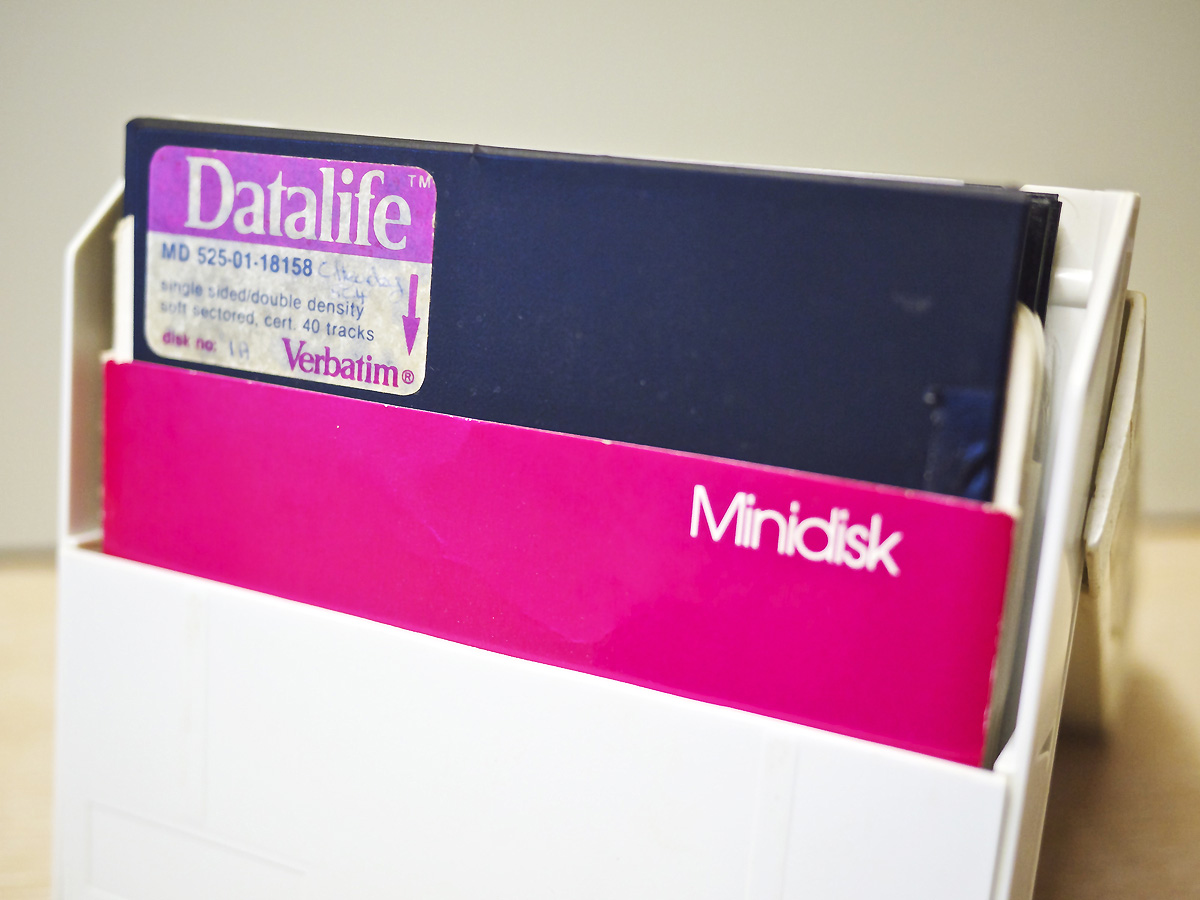
I suspect many of us have on occasion stumbled upon old floppy disks stored away in the back of cupboards or in our lofts.  Over the years I have found several stashes of both the 3.5″ and 5.25″ variety.  It certainly seems to be pot luck as to whether they are still viable and whether any recoverable data remains, although I have noticed that certain brands seem more resilient, 3M, Dysan, Verbatim for example.

In the process of searching for components for my bridge machine I stumbled across another such stash in my loft.  I found my original Amiga game disks, titles such as Defender of the Crown, Monkey Island, Frontier and so on, some Amiga joysticks, a Philips CM 8833 monitor and most interestingly for me a box of 5.25″ disks.

Verbatim Datalife Minidisk Pink

28 Year Old Floppy Disks

On closer inspection of the box I found two disks that I had used back in 1985 for my computer studies class at school.  What chance I wondered if any data could be recovered?

The computers that we used at school at the time were BBC Model B’s.  I don’t currently have any BBC machines in my collection although I now feel a strong urge to acquire one along with the Microvitec Cub monitors that were ubiquitous at the time.  I therefore had a look around to see if there was any software that might allow me to read the disks in a PC.

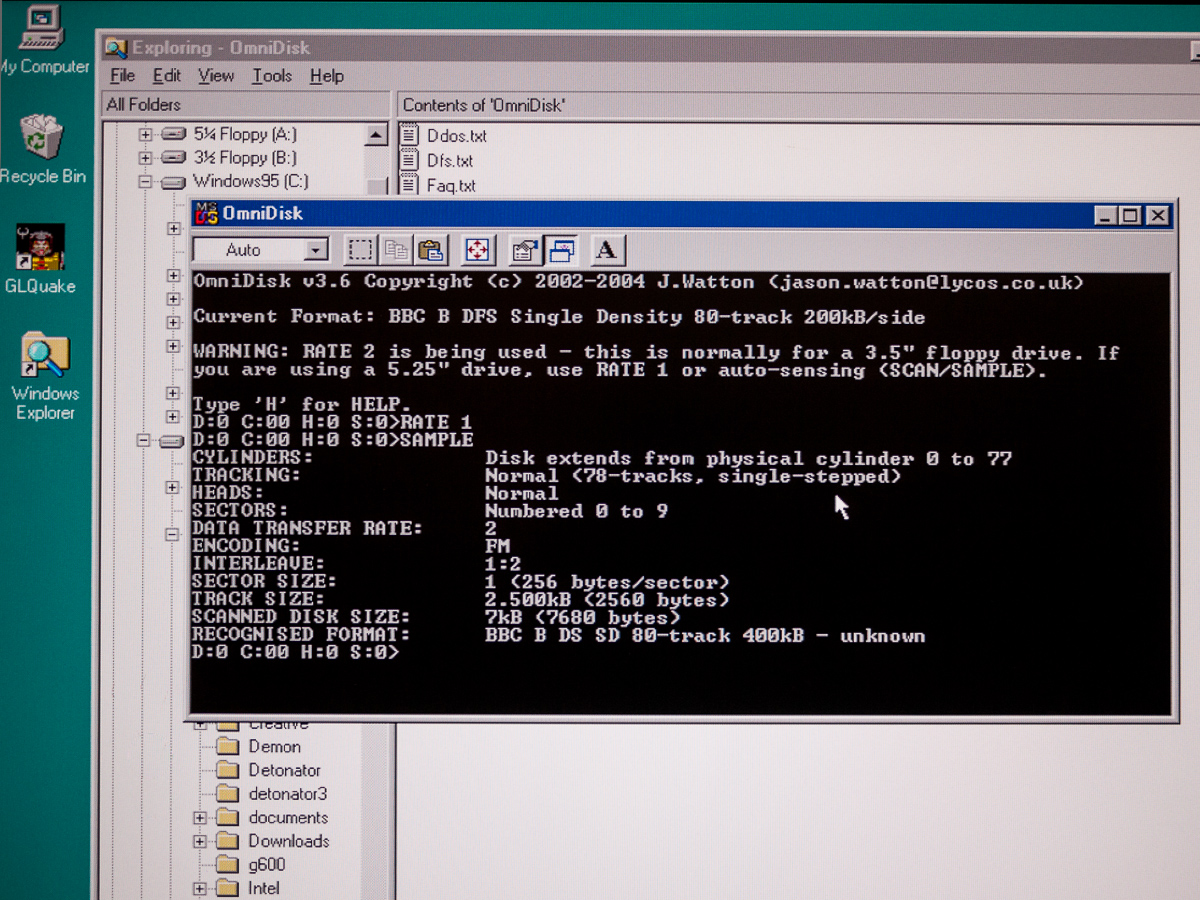
I quickly found the superb OmniDisk by Jason Watton and nervously inserted the first disk.  After working my way through all the options it became clear there was nothing to be found on the disk.  Of course there may not have been anything on the disk in the first place so undeterred I turned to the second disk, barely legible on the label, mine and Urbancamo’s form group – 5C4.

Recovering Files With OmniDisk

Recovering Files With OmniDisk

Immediately it became obvious there was some data there.  I ran through the various options in OmniDisk (did I mention how superb it is) and eventually managed to extract an image from the disk and from this I was able to pull out the individual files.

Loading these into a text editor revealed that they were BBC BASIC programs, namely my game ‘Yahtzee!’ and Urbancamo’s ‘Airman’.  Not exactly Prince of Persia but nevertheless pretty exciting on a personal level to recover such data from a disk that is the best part of 30 years old and has spent most of its life suffering the extreme temperatures of life in the loft.

The files are stored in tokenised binary format which results in a lot of garbage when viewing them in a standard text editor.  I had a hunt around and found the BAS2TXT DOS program here which converts the files into readable text.

BAS2TXT Conversion

BAS2TXT Conversion

It worked very well although I still had to jump in and make a few manual corrections, but then that was ever the case when it came to my laughable attempts at coding. That’s why Urbancamo did the coding and I did the pretty things.

I’ve also recovered Urbancamo’s ‘Airman’ program and sent it to him, I think he may be incorporating it into his Retrochallenge which would be cool.  Perhaps if he can finally finish that, he could move on to his PhD, snork.

Anyway, the next challenge was to see if I could run the code.  Nostromo BBS user Stuart Johns pointed me in the direction of BeebEm, and I found a Mac version courtesy of Jon Welch.

I fired it up on my Mac Mini, copied my newly cleaned up code and pasted it straight into the emulator window, typed RUN and slap my thighs it worked!

Yahztee Running On BeebEm

Yahztee Running On BeebEm

There on the screen my hopelessly inept attempts at coding in full view for the first time in 28 years.  Yahtzee!

There was even sound.

Subsequent attempts to access the original floppy disk have failed, it seems this really was last chance saloon stuff.  Of course in the grand scheme of things it’s largely irrelevant, but on a personal level recovering those files has been a real ride and has brought back some fond memories.

Colour Graphics

Roll The Dice

If I can find a Beeb at a sensible price I think it may well be my next purchase.