I’d hoped to acquire an acoustic coupler to use with the Epson PX-8 however it wasn’t to be. Plan B involved connecting up an external modem and I therefore needed some software that would allow me to communicate with the US Robotics unit that I have, Mex from NightOwl Software was the obvious choice.
Using this guide I was able to determine which files I needed specifically for the PX-8 which were as follows:-
- MEX114.COM

Assembling MEX PX8 Overlay
- MLOAD25.COM
- MXO-PX8.ASM
- MXO-SM14.ASM
- ASM.COM
- MEX.HLP
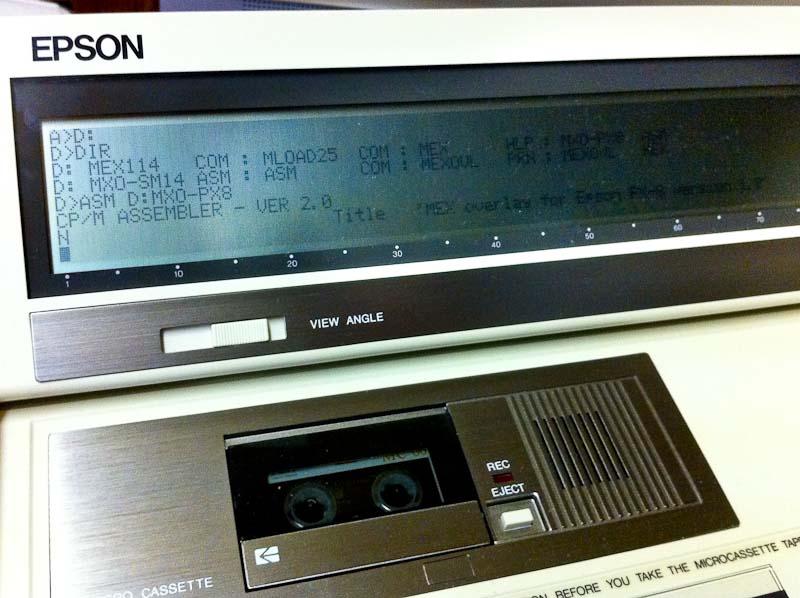
The MXO-PX8 overlay is I believe written specifically for the Epson Multi Function Unit which has a built in modem and sits below the PX-8 connecting via the system bus. It is therefore also necessary to include a generic Hayes compatible overlay if you need to communicate via RS232 with an external modem.
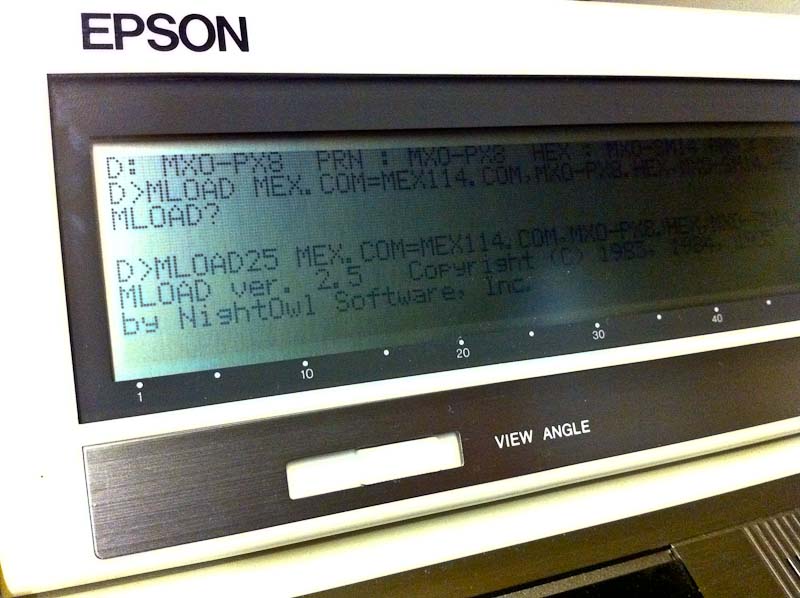
Generating MEX For The PX-8
I used Filink to move all the files that I needed across to the PX-8 and saved them on disk with the TF-20 and used ASM.COM to assemble the overlays. Using MLOAD you can then generate a MEX executable tailored specifically to your PX-8/Modem set up.

Epson Cable 724
In order to connect a modem to the RS232 interface on the PX-8 you need the Epson 724 cable, which is mini din to DB25. Fortunately one of my PX-8’s came with this cable and it’s not to be confused with the similar looking 725 cable which is a null modem version.

Px-8 & U.S.R. Modem
So then the moment of truth, what chance this would all work? I decided I should try and find a dial up BBS other than mine own to try. Wgoodf’s recent blog entry pointed me in the direction of the Plasma Sphere BBS which I didn’t have any luck with but this did lead me to the Arcade BBS.
A nice feature of MEX is you can use either ‘Call’ or ‘Dial’ to initiate the call, the latter will allow you to drop back into the command line and fire up other software if necessary, Kermit for instance. I stuck with ‘Call’ initially and it worked! Sort Of. Clearly there are some issues, I’m guessing buffer overruns but I’m sure these can be ironed out.
So here’s a video of me connecting to the Arcade BBS with my Epson PX-8 using Mex:-
(Update, I restricted the RS-232 port to 300 Baud and tried again with better results and have therefore updated the video, ahhh 300 baud, those were the days.)
 Retrocosm's Vintage Computing, Tech & Music Blog