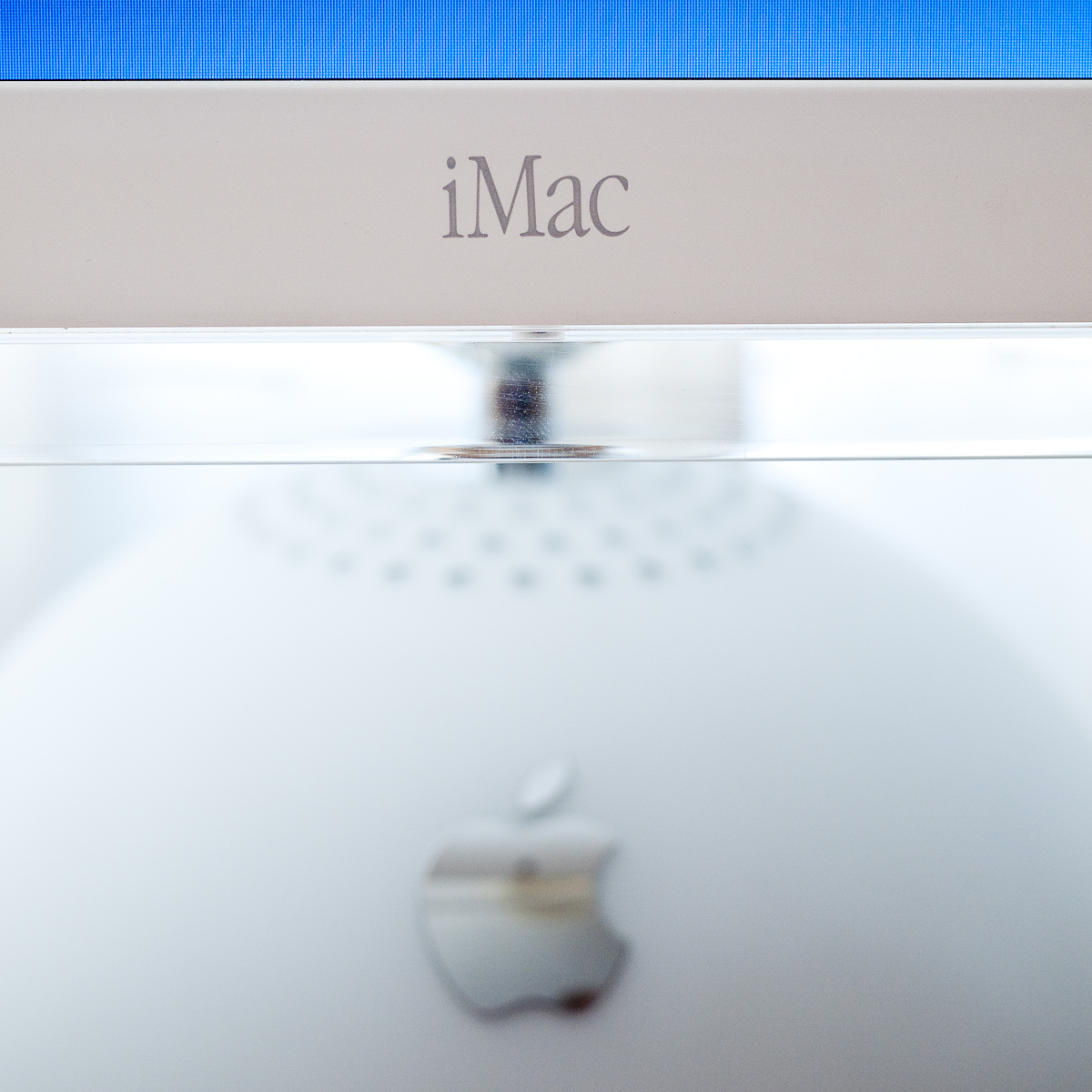
It is almost ten years since Apple released the original flat panel iMac, introduced back in 2002 I remember first seeing them in the John Lewis department store. At the time I was still hooked into the Wintel world but remember on seeing the iMac being seduced by the elegant simplicity of its design and its clear, crisp display.

iMac 15" Display
At the time I could not justify the outlay and so when what seems like a very short period later (10 years but who’s counting) I noticed one going for silly money on Ebay it was time to dive in. The model I have is one of the earliest, a 700 mhz G4, 40 Gb HDD and 384 Mb of system memory. It’s in lovely condition with very few marks and in full working order.
For the £40 or so pounds that I spent on it, it seems like a whole load of engineering and design goodness and doesn’t to my eye look at all dated.
Somewhat foolishly the previous owner had not bothered to erase their files so I quickly set about securely erasing the drive and repartitioning it. This machine is one of the last that can boot into OS 9 as opposed to the running the Classic environment within OS X and I wanted to set it up as a dual boot machine as I need an OS 9 machine for some of my retro work.

Rear View Of Display
Using the OS 9.2 install disk that came with the iMac I successfully installed the OS onto a 10 GB partition and then installed OS X on to the remaining 30GB’s. The OS X install disk that came with the machine was version 10.1.2 and to my surprise includes Internet Explorer 5. Having not previously owned Macs from this period (my first Mac was a G4 Mac Mini bought in 2005) I hadn’t realised that Safari had only surfaced a few years later.
I was soon on line via ethernet and took all the available updates for for both OS’s which downloaded and installed without a hitch.
The iMac feels pretty snappy in use, I’m tempted to replace the 128 MB stick of ram in the user slot with 512 MB and I have an Airport card on the way to slot in to the base.
The included mouse was non functional and the keyboard was horribly yellowed but I have plenty of spares so apart from those issues I am absolutely thrilled with to have such a lovely iMac, the plastics of the main unit and LCD are very well preserved.

iMac G4 15"
I’m now going to have a play with OS 9, purely out of curiosity as I have no real experience of it and then try to decide where I can display this gorgeous machine in all its glory. I can’t imagine hiding it away it would seem too sad.
(Update)
Ignoring all the prevailing advice I thought I’d have a crack at installing OS X Leopard on my newly acquired iMac G4. As it stands it falls some way short of the minimum specifications recommended by Apple and indeed when attempting to install the OS the process recognises this and refuses to continue. There are ways around this, including this method of fooling the installation software into believing the target machine meets the specs required. Please note the link to Leopardassist on that page appears to be broken, you can find it here.

Leopard on iMac G4
Another method is to fire up the target machine in target disk mode (press and hold ‘T’ during boot) whilst connected by Firewire to another Mac that will run Leopard. You can then run the installation disk from this second machine and instruct it to install onto the original machine which will be recognised as a Firewire drive. I chose this later method as I have a Mac Mini G4 which I knew could run Leopard and given that it shares a G4 processor with the iMac would I believe offer the greatest chance of success.
The process went fairly smoothly, albeit slowly though the later was no surprise. The iMac has booted into Leopard quite happily and although it’s clearly running more slowly than a more modern Mac it’s quite useable. It’s my intention to upgrade the memory which I believe will make quite a difference, 384 MB is really not adequate, in the meantime I’ve turned off all of the dock animation effects and have ensured there are no background widgets running.
I thought it might be amusing to try Geekbench so I ran it in 32-bit mode on the iMac G4 and on my Macbook and MacPro just for comparison. the latter two machines ran the benchmark in a couple of seconds or so:-
MacPro 2 x 2.66 GHz Dual Core Xeon 5 GB Memory – 5538
MacBook 2.4 GHz Core 2 Duo 2 GB Memory – 3354
iMac G4 700 MHz 384 MB Memory – DNF (45 minutes elapsed before I sympathetically terminated the process)
So I’ll see how the iMac gets on with some more memory and if it becomes obvious that Leopard is too taxing I shall revert to Tiger.
(Further Update)Have now swapped out memory in the user slot for a 512 MB stick giving a total of 768 MB.
Ran Geekbench again and it completed in roughly six minutes with a score of 345.
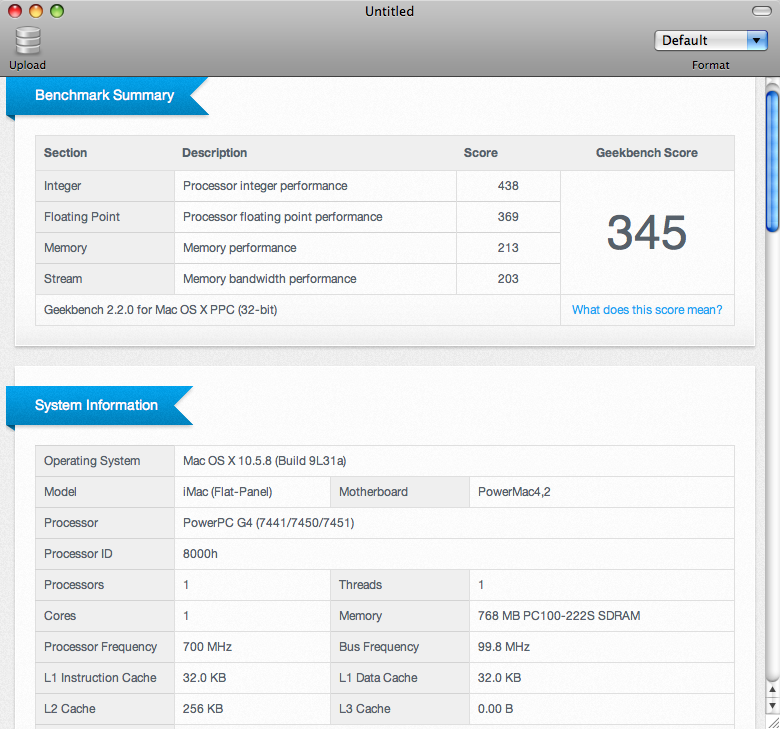
Geekbench Score 345


 Retrocosm's Vintage Computing, Tech & Music Blog