@Retrochallenge – Connections

_1040972a

Slightly slow progress this year due to a number of factors, however I managed today to hook up the Sharp PC-7000 to my Raspberry Pi.  I’ve only had the Sharp for a few weeks and it’s a joy to use.  Fully functional and in lovely condition, the Sharp has a backlit screen which was pretty huge for its day and overall the machine is surprisingly light.
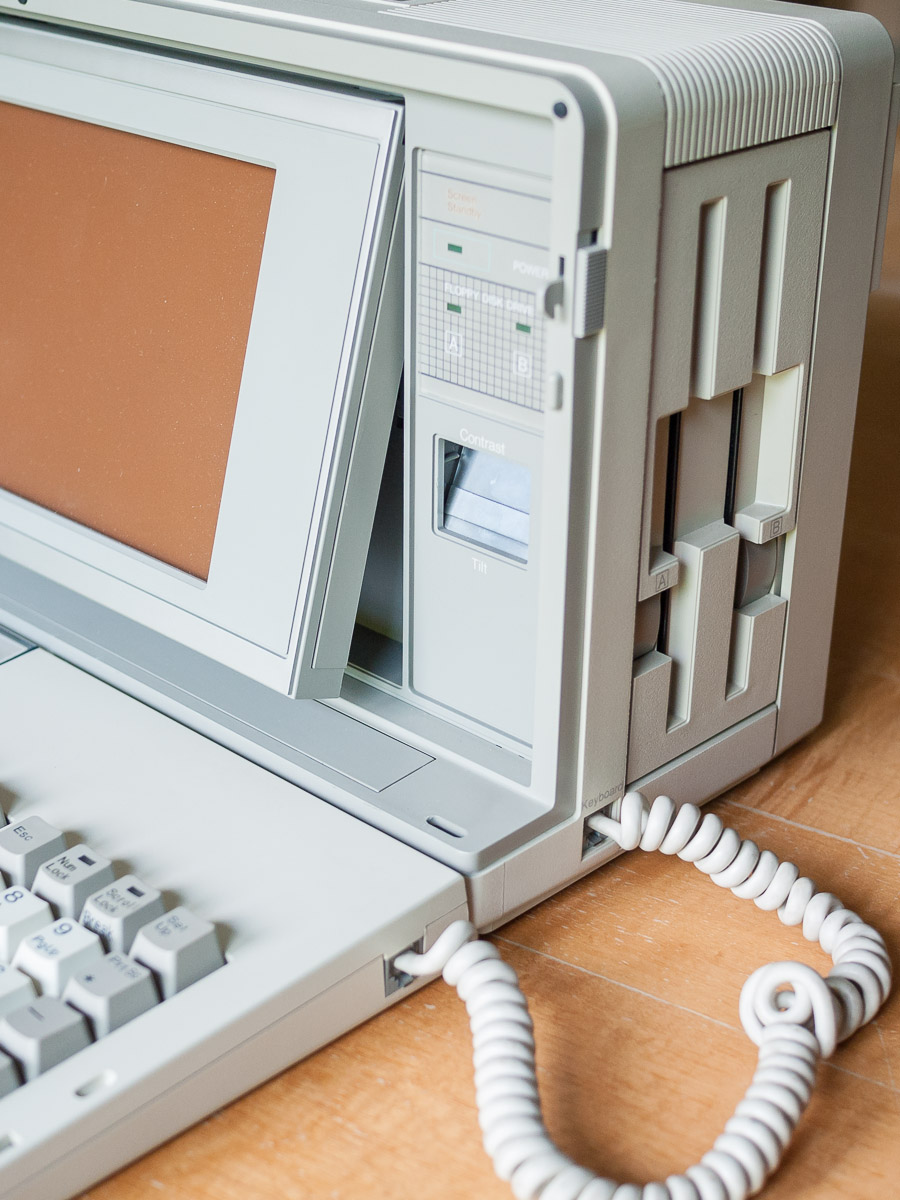
_1040981The specifications are:-

  • Processor – 8086 @ 7.37 MHz
  • RAM – Standard 320k Total 704k
  • Screen – LCD 240 mm x 105 mm, 80 characters 25 lines
  • Ports – 1 serial, 1 parallel.
  • FDD – 2 x 5.25″, 500K unformatted
  • Weight – 8.51 kg
  • Dimensions – 410 mm(w) x 160 mm(d) x 215 mm(h)

If I was going to hook up the Raspberry Pi and experiment with TCPser I needed some terminal software.  The machine came with MS-DOS 2.11 but I dug out my 3.30 version disks that came with my IBM 5140 and used those instead.

I had imagined I would be able to use Kermit but it needs at minimum an 8088 based machine.  I tried it anyway but no go.  A quick hunt and I found HiTerm which runs quite happily on the Sharp.  I hooked the Raspberry Pi up with a null modem cable and the USB to serial adapter, booted both units and everything worked first time.

I had a look around for something interesting to Telnet to in order to test the connection and decided on the M.U.D. British Legends, maintained by Viktor Toth.  A simple atdt british-legends.com:27750 and I was connected.  I made a video, yay, and a gallery of images of the Sharp.

@Retrochallenge – Getting Started

_1040949

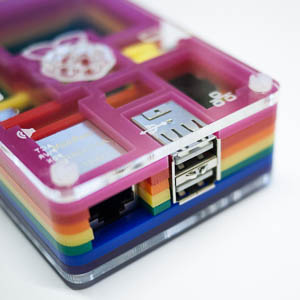
Raspberry Pi

My first task was to get Jim Brain’s TCPser up and running on my Raspberry Pi.  TCPser turns a standard PC serial port into an emulated Hayes compatible modem utilising TCP/IP for incoming and outgoing connections while supporting all standard Hayes commands.  Installation on the Pi is straightforward, ‘apt-get install tcpser,’ gets the job done.  I have an existing RS232 – USB serial adapter based on the Prolific PL2303TA chip set and drivers for this are included in the current Raspbian distribution.

_1040947

USB To RS232

After some experimenting with the Pi hooked up via the USB adapter to the serial port on a Windows 98 box I found the following options gave me a working connection:- tcpser -d /dev/ttyUBS0 -p23 -s 1200 -l 4.  The baud rate (-s) can clearly be run faster although from experience I know a number of my older machines can’t cope with anything more than 1200 baud.

I then set up the Pi to auto logon and created a start-up script so that TCPser would be running on boot allowing me to run the Pi headless.  I then hooked it all up to my Psion MC400, fired up the Psion’s built in terminal software and with a quick ATDT nostromo.synchro.net was connected via the Internet to my BBS.

Retrochallenge Summer 2013

Retrochallenge

Yes it’s true, we’re less than three weeks away from the start of Retrochallenge 2013.  You can now register to participate in this year’s event.

Head over to Retrochallenge.org and sign up now for this always fun and entertaining competition.

I shall be registering shortly, I just need to decide what I’m going to do.  I’d like to explore CP/M on my Commodore 128 but I’d also like to have a dabble with TCPSER which I’ve been threatening to do for some time.

However I also really need to sort out my burgeoning collection of vintage gear and just doing this may throw up an interesting project.

If you’ve mmm’d and aaah’d about entering but never have, make this year the one you do.