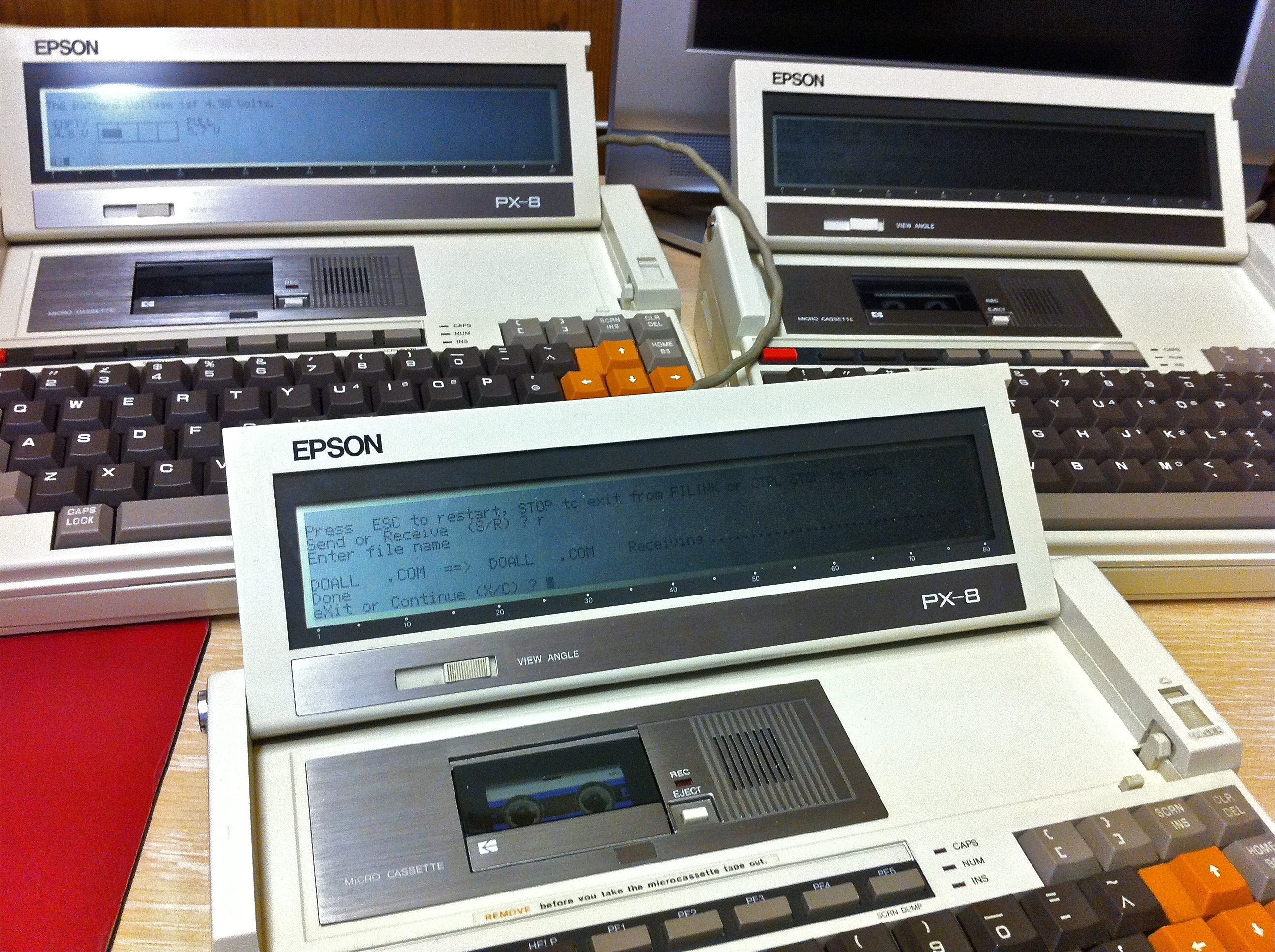
PX8’s, Batteries & Retrochallenge 2011

Lately I’ve been experimenting with new batteries for my Epson PX-8’s (I have three PX-8’s now, it’s a worry I know.)  Of the three’s original batteries, one still holds a reasonable charge, the other two however require the AC adapters to be permanently connected.  This is not a huge issue but with high capacity NiMh batteries pretty cheap these days I decided to look into replacing the original NiCad’s.

The original NiCad’s are 4.8 V 1100 mAh packs, ideally I wanted replacements that were of equal or greater capacity.  Having hunted around and looked at a myriad of options it became clear the most limiting factor was the size of the battery compartment on the PX-8.  Initially I was tempted by a 4 pack of 1.2 V AA cells at 2700 mAh, however there was no way of squeezing these into the compartment even with a homemade pack.  I also looked at new NiCad’s but really wanted to go with NiMh.

In the end I tried two options, a ready made four pack of Sanyo Eneloop AAA cells at 800 mAh and some loose Duracell AAA’s at 1200 mAh secured in a simple 4 cell battery holder.  Both options are working well and lasting for what seems like forever.

I’m no expert on battery charging so don’t fully understand what the consequences will be of using the supplied Epson adapter and the PX-8’s charging circuit on the modern NiMh’s.  From what I do understand the PX-8 will charge for 8 hours and then drop into trickle charge with its standard NiCad.  If you disconnect the AC adapter and plug it in again the charge cycle will start again possibly leading to overcharging.  The AC adapter is an unregulated 6 V 600 mAh model. (Epson HOOAAU-A)

As far as I can tell, the NiMh’s are taking somewhere in the region of 2 hours to fully charge which seems to me to be what’s considered fast charging.

With July rapidly approaching my thoughts are turning this year’s Retrochallenge.  I have a number of possible avenues to explore.  Continuing with the battery theme I really would like to try and revive my PF-10’s.  I’m pretty sure the problem lies with dead sub batteries inside the units.  The main batteries are easy to swap out, however the sub batteries are soldered to the logic boards and it’s been a long time since I’ve been near a soldering iron.

I also have a Commodore 128D which I’d like to get fully acquainted with including using it with CP/M, in fact it would be nice to try and get it talking to a PX-8.  On that theme I’ve been experimenting with the PX-8 RS232 ports and quite fancy writing some sort of two player game with communication via this route.  Decisions to be made.

More Amiga Adventures

I’ve been spending a fair amount of time messing around with the Amiga 1200 that I recovered from the loft a few weeks ago.  It has been a little frustrating, I’d forgotten a lot about the Amiga and its idiosyncrasies and progress has been slow for several reasons that I’ll get in to below.

One of the main challenges I’ve found with retrocomputing is transferring files to and from your retro systems.  With the Amiga 1200 this isn’t really an issue due to its PCMCIA slot which will happily read and write to standard compact flash cards with the appropriate adapter.  A PCMCIA to CF adapter was therefore my first purchase (I later discovered I already had one grrrr.)

My next purchases were an IDE to CF adapter and some Kickstart 3.1 roms.  Installing the latter was pretty easy although it’s important to note the manner in which the original chips are installed as there are more sockets than there are pins on the chips.

I then pulled out the original Seagate IDE hard disk, plugged in the IDE to CF adapter and added a SanDisk Extreme III 4GB CF card.  I booted the system with my Workbench 3.1 floppy and set up the newly installed CF card.

I divided the card into a 200MB partition for Workbench and the rest as one large partition for games and data.  After formatting the partitions (some considerable time) I made a fresh install of Workbench 3.1 and booted the system from the new CF drive. This whole process was a little tortuous as the Amiga kept crashing at various stages.  At first I assumed the CF card was incompatible but I soon realised the 128MB SIM I’d installed was causing the problems.  I swapped it out for a 4MB stick and the machine become much more stable.

The next challenge was installing AmigaOS 3.9 which is supplied on CD and at the time I didn’t have a compatible drive for the Amiga.  Using a Mac I copied the contents of the CD onto a compact flash card in a drawer name AmigaOS3.9 and inserted it into the Amiga.  I then fired up shell and entered the following command – ASSIGN AmigaOS3.9: cf0:AmigaOS3.9 and was then able to run the installer with the CF card mimicking the CD.  However I ran into a number of problems with the installation and have since learnt that using a non-Amiga system to copy files or open archives destined for the Amiga can mess up the file permissions when you then try to use those files.  After much fiddling I finally got a semi working installation of Amiga OS3.9.

I seem to have stopped using my Amiga just at the point that CD rom drives became quite widely used with the system, I personally never had one but wanted to add one now so I could install the OS properly.  I ordered a buffered IDE interface and dug out an old Plextor external USB drive.

I opened up the back of the drive and disconnected the USB interface from the IDE connector on the drive and ran an IDE cable out of the box and into the Amiga.  I had to make some changes to the Tooltypes of the CD driver that had been installed by OS3.9 to get it working:-


DEVICE=atapi.device
UNIT=2
ACTIVATE=1
TAB=8
LASTCHANGE=5

I now had a working CD ROM drive and was able to successfully install OS3.9 without problems and also install the Boing Bag 2 update.  My next ambitions are to replace the external drive with an internal one, I already have a slim drive from an old Cubit box, whether I have the courage to cut a slot out of my 1200’s case is another matter, and Internet access.  For now some Frontier Elite II.

Windows 98, WiFi and Destruction Derby

I’ve been trawling through all my old equipment, trying to organise it in some meaningful manner.  I decided to buy several clear storage cases in the hope of grouping related items together so I can easily select a box and its contents when I want to use certain hardware.

The process is going reasonably well although unsurprisingly I’ve underestimated the number of containers I require and one slightly irritating aspect has been finding lots of items that I didn’t realise I had and have bought duplicates of recently.

I did however unearth a D-link dwl G520+ wireless PCI card and my old Apple Airport Extreme unit.  I installed the wireless card in my bridge machine which until now has lacked any form of networking and set up the Extreme to create a wireless network.

I was able to download drivers for the D-Link card and whilst I was at it I download drivers for the Leadtek Winfast Titanium 500 graphics card and Creative Labs Soundblaster Live which were already present in the bridge machine.  All these drivers were still available from the respective manufacturer’s websites.

I have to say I’ve quite enjoyed using Windows 98 again, it’s relatively unfussy and very quick and snappy 0n the Pentium III I’m using.  The driver installations went pretty smoothly and the D-Link card picked up the wireless network without fuss.

On firing up Internet Explorer I went into Tools/Internet Options/Connections and configured it to connect through my LAN however it wouldn’t connect to any web pages.  After a bit of fiddling I entered ‘winipcfg’ in the Start/Run box and clicked on Release All and then Renew All, this did the trick, my freshly installed Windows 98 box was online.

This box now fulfils the list of criteria I set out for my perfect bridge machine:-

  • DOS
  • Parellel Port
  • Serial Port
  • ISA Slot
  • PCI Slots
  • USB
  • Network/Internet
  • VGA & DVI
  • CD Rom
  • Floppy (5.25 & 3.5)

I thought it might be amusing at this stage to try Windows Update which took me to the relevant site but would always fail with an error when scanning the system.  After searching a bit I found this site which has an unofficial pack of updates.

After installing these updates I was able to access Windows Update again and it worked so I took all the official updates I thought would be useful and installed them.  Pleased with my progress I thought I’d party like it was 1999 and fire up an old game.  First to hand was Destruction Derby which in fact harks all the way back to 1995.

Now, back to that packing and sorting…