As has been the case with other participants my Retrochallenge has been somewhat blown off course by outside events. Still I had some initial fun tinkering with the Samsung PenMaster. Although it didn’t provide much of a challenge it was interesting to look back at the false start tablet computing had with pen based computing.
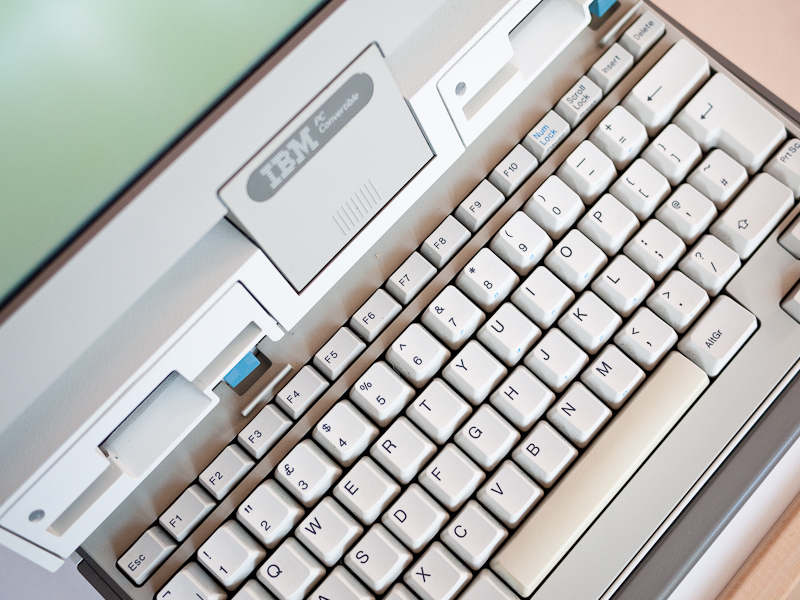
IBM 5140 Convertible
I then moved on to the IBM 5140 which is a machine I really enjoyed using. Its slightly absurd design with its expansion ‘slices’ leading to an ever-increasing footprint is tempered by its overall solidity and great keyboard. I would very much like to obtain an original monitor and I noticed today someone is selling new in the box printer units for it.
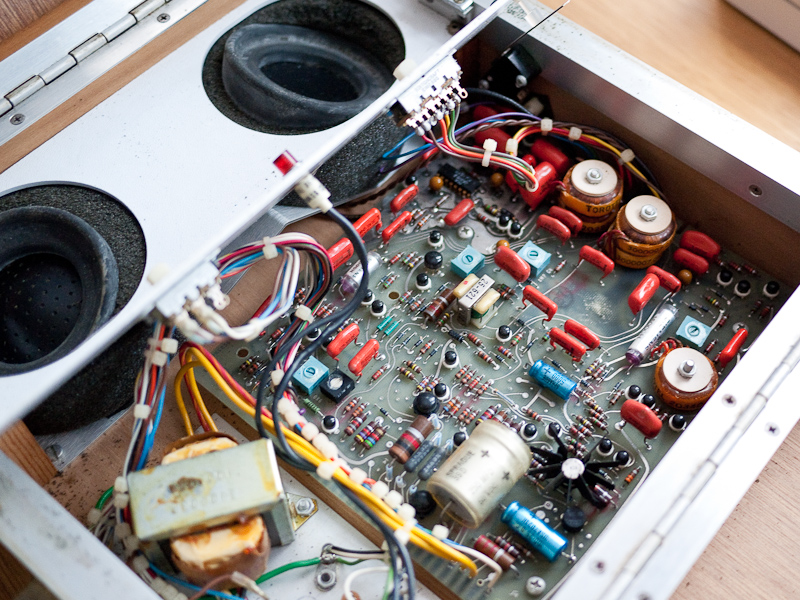
ADC 212 Internals
Arriving too late in the day for me to get my teeth into it was an Anderson Jacobson ADC 212 acoustic coupler. I had hoped to use it to connect to either mine or Urbancamo’s new BBS but time has run out. Getting the coupler working may form the basis of my next challenge.
I’m now looking forward to catching up on the other participant’s entries, some of which are clearly very impressive.
I’ve been trying out the expansion units that came with the 5140 and clip on to the back of the main machine. One provides parallel and serial ports and the other is for connecting a monitor. Unfortunately I had a ‘magic smoke’ incident with the later unit after powering up the machine. It was a bit of an ‘oh shit’ moment as initially I didn’t notice it but caught a whiff of the tell tale stench before spotting the smoke rising from the unit and shutting it down. I haven’t opened it up yet to see what the damage is but hopefully it’s repairable.
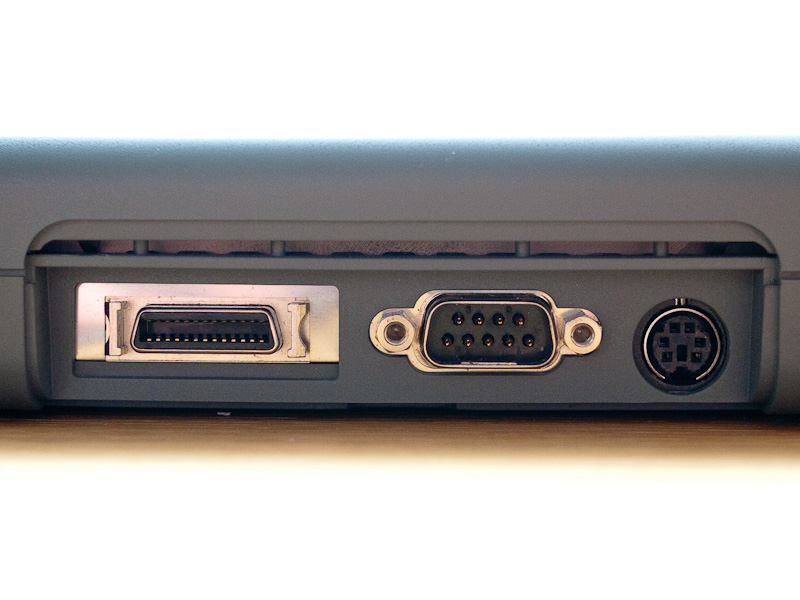
Expansion Bus Connector
The expansion bus on the 5140 uses 8-bit ISA architecture. At the rear of the unit is a single 72 pin edge connector which is repeated on the back of each expansion unit. Once attached the expansion units give the machine a very odd look, especially if you also attach the printer unit which results in the 5140 almost doubling in length.
Theoretically you could create some kind of hack with an old unit and hook up an HDD but that’s well beyond my level of tinkering.
Serial/Parallel Expansion Unit
The serial port on the interface expansion unit is working. I downloaded the ever dependable Kermit and after stripping it somewhat to fit onto a 720k floppy loaded it up and dialled out to my BBS and sent off a couple of emails. It’s been interesting running a machine with no fixed disk. The second drive by the way has started working, maybe whatever was preventing it from reading disks before has been dislodged. I made a quick video of the 5140 below:-
I also found the following advert for the 5140 on Youtube, in it you can see the machine hooked up to a monitor, I lust after that monitor, I want one, a lot:-
I’ve decided to take advantage of the few days of holiday I have left to get well and truly stuck into this year’s Winter Warmup as once back at work progress will no doubt slow considerably. My first task has been to find a way to transfer software onto the PenMaster, there are a number of ports on the device but nothing I can easily use. The FDD port is of a design I’ve not encountered before. Initially I thought an old Fujitsu FDD I had might fit, however although the connector looks the same it is on a much smaller scale. It then occurred to me I could use the parallel port Zip Drive that I’d recently connected to my Atari Portfolio. I’d still need drivers of course but if I could find them I thought I would at least be able to add them to my BBS (Nostromo) and then dial in and download them onto the Samsung.
Modem & Keyboard Attached
I searched for a while before finding some drivers for Windows 3.1 on Epson’s site here. I have to say I really like Epson as a company and the way it continues to support its old products. I downloaded them onto the Windows XP box that hosts Nostromo and added them to the file section. When I got home I dialled in with the PenMaster using Terminal and the built in modem and managed to connect. However the internal modem refused to connect at anything greater than 1200 baud which may be its limit but seems a bit poor. I made several attempts to download the Zip software but it kept failing.
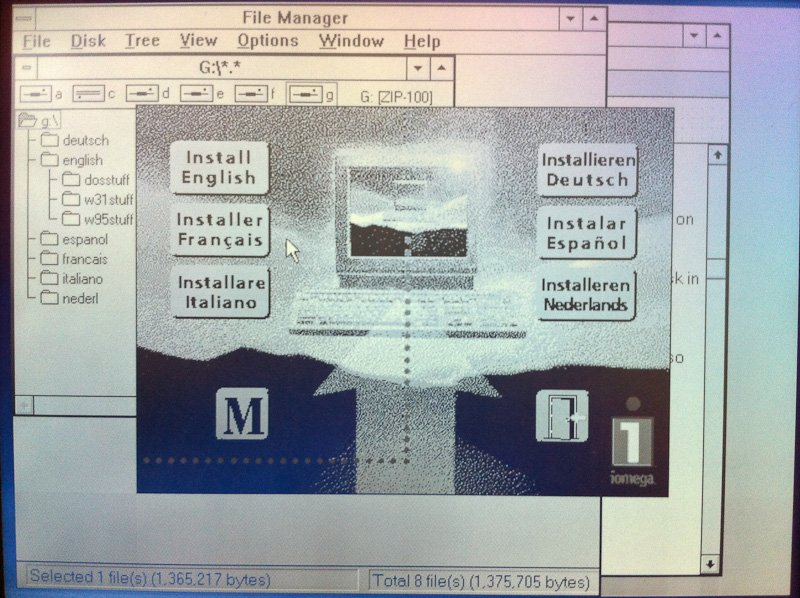
Installing Zip Tools
So out came the trusty US Robotics Sportster which once connected to the solitary COM port on the PenMaster successfully connected at 19200 Baud and downloaded the Zip software in relatively quick fashion. I had to modify the config.sys slightly, changing the ‘Lastdrive=’ entry to free up a drive letter for the Zip drive. After digging through my Zip Disks I was able to find the original Zip Tools disk which allowed me to complete a full install of the Zip drivers and software.
Combined with my USB Zip drive I now have a pretty quick and painless way of downloading software on to one of my Mac’s, putting it onto Zip Disk and then loading it via the parallel port Zip onto the Samsung, first major hurdle hurdled.
I’ve also been trying to get acquainted with the pen input of the PenMaster, learning the gestures for space, return, delete etc. It’s not bad, I can imagine with some practice you could probably get proficient at entering stuff fairly quickly. Just to show how lacking in proficiency I currently am I thought I’d challenge myself to log on again to Nostromo and send a Tweet using just the stylus. I recorded the process and include the video below for those who are very patient. I have however also attached a keyboard and even managed to dig out serial mouse which still works which should offer more rapid progress. I rather like the fact that the Tweet was not perfect, speaks volumes for handwriting recognition.






 Retrocosm's Vintage Computing, Tech & Music Blog