Somewhat foolishly I wandered into the bathroom to show my wife something on my MacBook whilst she was in the middle of bathtime with the children. With a cry of ‘daddy watch this’ my son jumped and with the help of gravity, proceeded to displace a fairly large amount of water in my direction.
As it lapped over the screen and keyboard of my MacBook time seem to stop momentarily before I suddenly processed what had happened, powered the machine down and began frantically mopping it with tissue. A few hours later I gingerly turned it on and was relieved as it immediately began to boot. However I then noticed that about a third of the screen had a huge bright white splodge on it.
I powered it down again and searched online for ‘bright white splotch macbook screen’ and found this blog entry. I read through the author’s similar experience and set about stressing my MacBook with as many processes as I could think of. Soon the fans were whirring away and the unit was warming up nicely. I propped it up next to the radiator and left it for a couple of hours.
On return the splodge had definitely shrunk but I decided the give the unit a rest from its workout, I have been repeating the process and I’m pleased to say the screen has nearly fully recovered.
(Update) Another couple of days have passed and I’m now just left with a couple of dots which I’m sure will also disappear in due course. Phew!
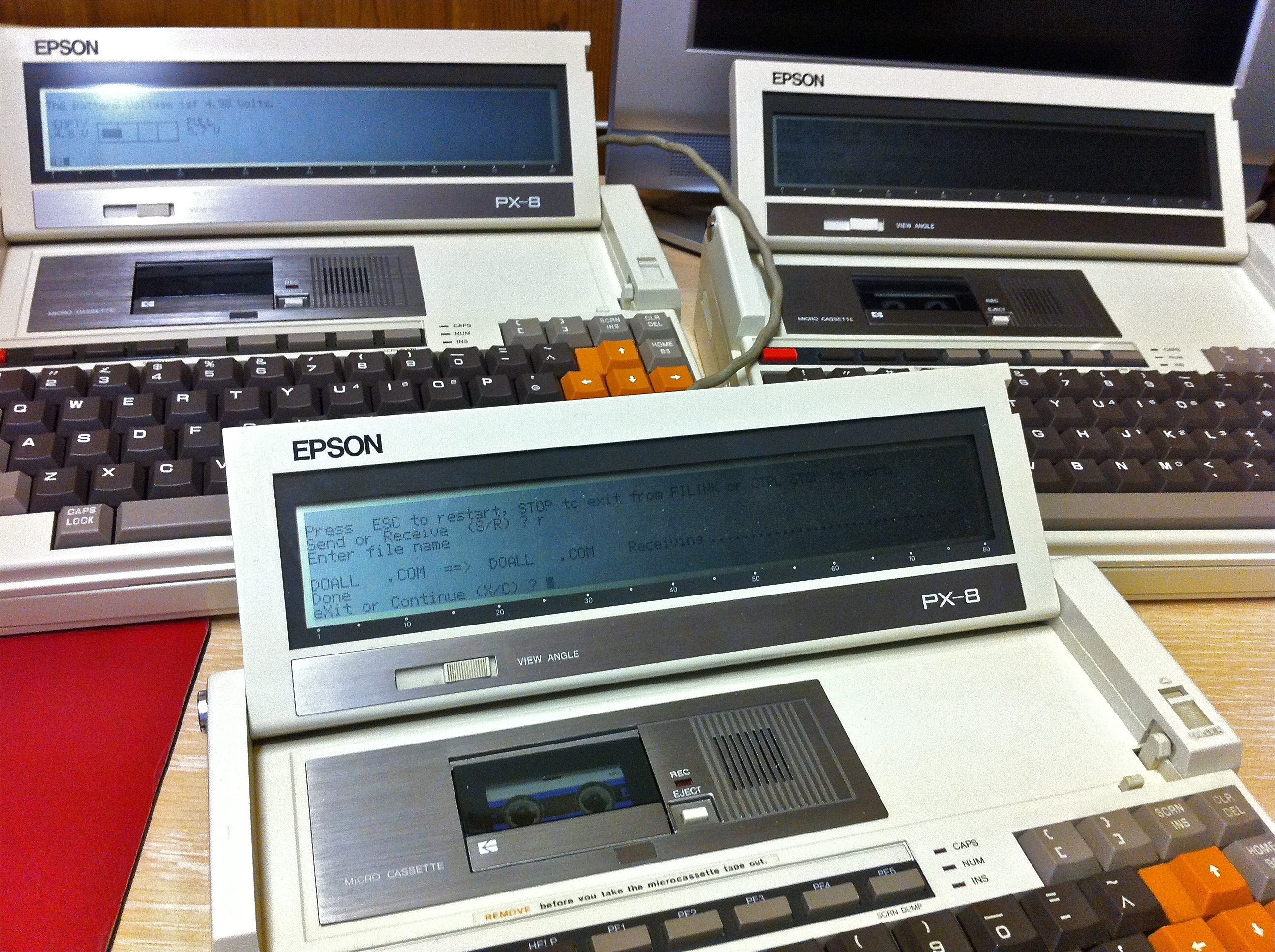
I shall be away for the beginning of this year’s Retrochallenge, so in order to hit the ground running when I get back I thought I’d make sure all my machines were primed and ready for action. To that end I’ve recently sorted out the batteries in my PX-8’s and today my attention turned to my Commodore 128D.
The machine is in pretty good condition, the cassette port is a bit flaky and the built in 1571 drive seems to read and write to disks reasonably successfully. My interest lies in using CP/M on the C128 and I really needed to secure a way of getting data into the machine in this mode.
This has caused me some considerable headaches, in its native or C64 mode the machine uses Group Character Recognition (GCR) to write data to the disks in the 1571. The 1571 is also capable of writing Modified Frequency Modulation (MFM) disks as used by CP/M and under CP/M disks using the following formats can be read:-
With third party software such as Juggler even more formats are supported.
Armed with Big Blue Reader, the original CP/M system disk, a clutch of DSDD disks and my bridge machine running DOS and 22Disk I thought I was well prepared. However no matter which combination of disks and formats I use I cannot successfully format a disk with the 1571 nor the 1581. I’m pretty sure the disks are OK, they seem to work without problems with the Epson TF-20 and PX-8 and the 1581 and 1571 drives appear happy to do everything except format.
More in desperation than hope of success I put one of the disks that I’d formatted with the TF-20 and PX-8 in the C128, typed DIR. To my surprise and excitement the C128 came up with some text at the bottom of the screen reading Epson QX-10. I pressed return and the drive chugged away, thought about it for a while and came back with ‘No file.’ uh, there were definitely files on the disk.
I had a search around and discovered that when the format description comes up at the bottom of the screen you can cycle through different options. So I tried again and using the right arrow key found the next selection was ‘Epson Euro’ I pressed return, the drive chugged away and up popped the disk contents, yipeee!
I loaded PIP quickly just to check it worked, which it did and I then formatted a fresh disk in the TF-20, copied the text adventure Snowball onto it and put it into the C128. On the first attempt I got a BDOS error but on the second attempt it loaded.
So I now have a way of getting software downloaded from the Internet into the C128 in CP/M mode, albeit a somewhat circuitous route via the PX-8 but a way nonetheless.
I currently have the C128 hooked up to an IIyama LCD panel via the s-video port which means I can only run in 40 column mode however I do have a cable that will allow me to connect via Scart and run in 80 column mode which I shall try next as much of the software I’ve tried assumes this mode.
So now hopefully I’ll be able to get on with things as soon as I return, try some CP/M software on the C128, hopefully get it talking to the Epson PX-8 via RS232 and I have some unused 3.5″ DSDD disks on the way which I’m hoping I’ll be able to format successfully with the 1581.
Lately I’ve been experimenting with new batteries for my Epson PX-8’s (I have three PX-8’s now, it’s a worry I know.) Of the three’s original batteries, one still holds a reasonable charge, the other two however require the AC adapters to be permanently connected. This is not a huge issue but with high capacity NiMh batteries pretty cheap these days I decided to look into replacing the original NiCad’s.
The original NiCad’s are 4.8 V 1100 mAh packs, ideally I wanted replacements that were of equal or greater capacity. Having hunted around and looked at a myriad of options it became clear the most limiting factor was the size of the battery compartment on the PX-8. Initially I was tempted by a 4 pack of 1.2 V AA cells at 2700 mAh, however there was no way of squeezing these into the compartment even with a homemade pack. I also looked at new NiCad’s but really wanted to go with NiMh.
In the end I tried two options, a ready made four pack of Sanyo Eneloop AAA cells at 800 mAh and some loose Duracell AAA’s at 1200 mAh secured in a simple 4 cell battery holder. Both options are working well and lasting for what seems like forever.
I’m no expert on battery charging so don’t fully understand what the consequences will be of using the supplied Epson adapter and the PX-8’s charging circuit on the modern NiMh’s. From what I do understand the PX-8 will charge for 8 hours and then drop into trickle charge with its standard NiCad. If you disconnect the AC adapter and plug it in again the charge cycle will start again possibly leading to overcharging. The AC adapter is an unregulated 6 V 600 mAh model. (Epson HOOAAU-A)
As far as I can tell, the NiMh’s are taking somewhere in the region of 2 hours to fully charge which seems to me to be what’s considered fast charging.
With July rapidly approaching my thoughts are turning this year’s Retrochallenge. I have a number of possible avenues to explore. Continuing with the battery theme I really would like to try and revive my PF-10’s. I’m pretty sure the problem lies with dead sub batteries inside the units. The main batteries are easy to swap out, however the sub batteries are soldered to the logic boards and it’s been a long time since I’ve been near a soldering iron.
I also have a Commodore 128D which I’d like to get fully acquainted with including using it with CP/M, in fact it would be nice to try and get it talking to a PX-8. On that theme I’ve been experimenting with the PX-8 RS232 ports and quite fancy writing some sort of two player game with communication via this route. Decisions to be made.




 Retrocosm's Vintage Computing, Tech & Music Blog